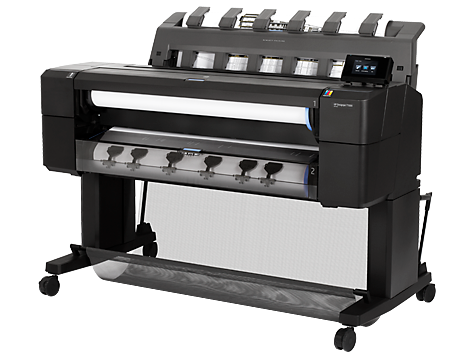
Votre traceur HP DESIGNJET T1500, T1500PS est en panne ?

Notre technicien intervient sur site pour le dépanner.

'HP DESIGNJET T1500, T1500PS'

Diagnostic gratuit par téléphone

Accueil personnalisé sans serveur vocal par notre technicien à Lyon.
Nos techniciens expérimentés sont à votre écoute pour faire le diagnostic de la panne que vous rencontrez sur votre traceur HP Designjet.

Devis en 2 heures, dépannage en 48 heures

• Notre technicien réalise immédiatement votre diagnostic par téléphone.
• Notre devis de réparation vous est adressé sous 2 heures.
• Notre procédure d’ouverture de compte est réduite au maximum.
Ainsi, en fonction de votre disponibilité, notre technicien SAV interviendra sous 48 heures à réception du devis accepté.

Nous vous dépannons à Lyon et en Rhône-Alpes

• Nous intervenons toujours en direct et sans sous-traitant.
• Afin de garantir à nos clients des interventions en 48 heures, nous intervenons uniquement en Rhône Alpes :
• Rhône, Ain, Isère, Savoie, Haute-Savoie, Loire, Drôme, Saône-et-Loire.
• Lyon et Grand Lyon, Villeurbanne Grenoble, Chambéry, Annecy, Bourg en Bresse, Valence, Saint Etienne, Macon, Châlon-sur-Saône.

Nous prenons en charge toutes les pannes

Nos techniciens sont méticuleux et prennent en charge tous les problèmes :
Pièces d’usure, codes erreur, pannes électroniques, problèmes de qualité d’impression, paramétrages et configuration informatique...

Nous avons toutes les pièces en stock

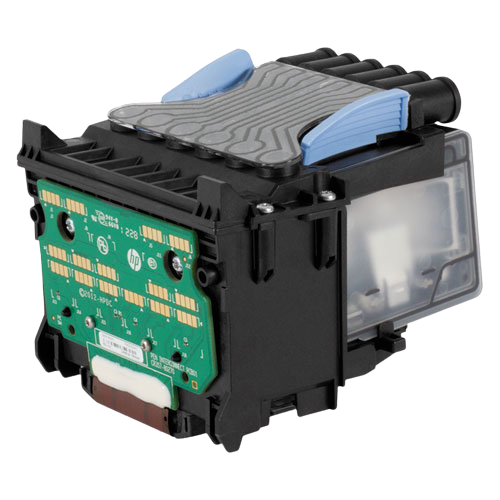
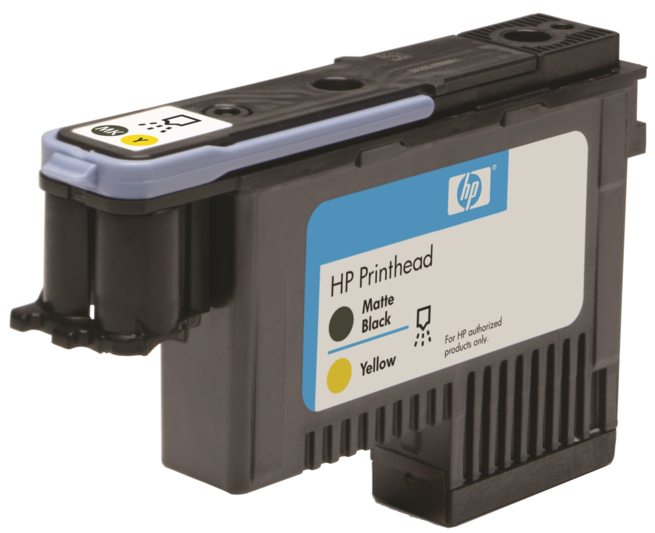
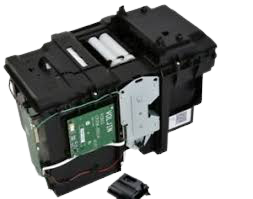
Afin d’être certain de terminer votre réparation au premier dépannage, nos techniciens SAV se déplacent avec toutes les pièces nécessaires, possibles et imaginables : Courroie, trailing cable, strip encoder, station service, chariot, cutter, star wheels motor, carte formatter, bloc d’alimentation, spindle, mais aussi cartouches, têtes d’impressions...
Notre stock et nos compétences nous permettent de résoudre la plupart des pannes dès le premier dépannage.

Nos tarifs sont raisonnables

En général, nos dépannages sont facturés au temps passé, 85 € ht de l’heure.
Les frais de déplacement sont facturés en fonction de votre éloignement, 85 € ht si vous êtes sur Lyon.
Nous remplaçons uniquement les pièces nécessaires.
• Si votre traceur nécessite une maintenance de routine (remplacement de courroie), nous remplacerons uniquement ces pièces.
• Si votre traceur a des pannes multiples, nous pourrons vous proposer un forfait ou un échange standard.
• Si une réparation n’est pas économiquement rentable, ou si le dépannage ressemble à de l’acharnement thérapeutique, nous vous le signalerons quitte à ce que vous annuliez l’intervention.

Indiquez-nous le code erreur ou le problème rencontré
pour obtenir un diagnostic ou un devis de réparation.

Codes erreur les plus fréquents - Traceur HP DESIGNJET T1500, T1500PS

Code Erreur 02.1:10

Code Erreur 08:04
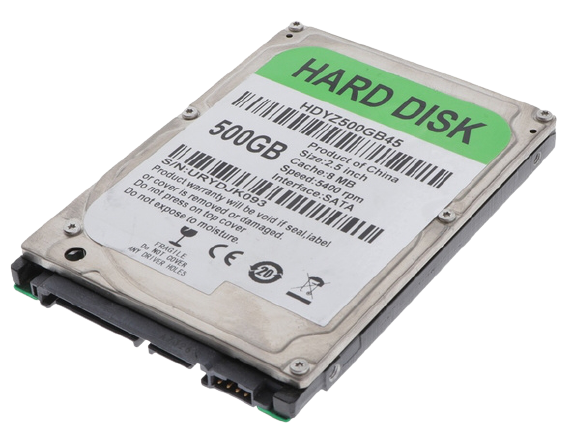
Code Erreur 08:11

Code Erreur 21:10 ou 21:13 ou 21.2:13 ou message Maintenance recommandée

Code Erreur 47:01 ou 47:03
Code Erreur 79:04


Code Erreur 79.2:04

Code Erreur 86:01 ou Vérifier chemin des têtes d'impression ou Vérifier chemin papier

Message Repositionner la tête d'impression ou Remplacer la tête d'impression

Tableau de tous les codes erreurs - Traceur HP DESIGNJET T1500, T1500PS

01.0:10 HP DESIGNJET T1500, T1500PS

- id :

270950

- code :

01.0:10

- description :

Problem with the engine PCA

- remede :

Call agent: • Use the power switch at the rear to turn off the printer, then disconnect the power cord. Reconnect the power cord, then turn on the printer. Service engineer: • Replace the engine PCA. NOTE: If the 1.:1 is not solved after replacing the carriage PCA, or after replacing it a SE 2.1:1 code appears (carriage PCA), check the trailing cable to engine PCA connection; It's low probability, but possible, that a wrong connection could cause the damage to the carriage PCA and /

- description_fr :

Problème avec la carte principale.

- remede_fr :

Éteindre par l'interrupteur arrière, puis débrancher le câble d'alimentation. Rebrancher le câble d'alimentation, puis rallumer l'imprimante. Intervention technicien : Remplacer le engine PCA. NOTE: If the 1.:1 is not solved after replacing the carriage PCA, or after replacing it a SE 2.1:1 code appears (carriage PCA), check the trailing cable to engine PCA connection; It\'s low probability, but possible, that a wrong connection could cause the damage to the carriage PCA and /.

01.1:10 HP DESIGNJET T1500, T1500PS

- id :

270951

- code :

01.1:10

- description :

Error in the engine PCA

- remede :

Call agent: • Use the power switch at the rear to turn off the printer, then disconnect the power cord. Reconnect the power cord, then turn on the printer. Service engineer: • Replace the engine PCA. NOTE: If the 1.1:1 is not solved after replacing the carriage PCA, or after replacing it a SE 2.1:1 code appears (carriage PCA), check the trailing cable to engine PCA connection; It's low probability, but possible, that a wrong connection could cause the damage to the carriage PCA and /

- description_fr :

Erreur sur la carte principale.

- remede_fr :

Éteindre par l'interrupteur arrière, puis débrancher le câble d'alimentation. Rebrancher le câble d'alimentation, puis rallumer l'imprimante. Intervention technicien : Remplacer le engine PCA. NOTE: If the 1.1:1 is not solved after replacing the carriage PCA, or after replacing it a SE 2.1:1 code appears (carriage PCA), check the trailing cable to engine PCA connection; It\'s low probability, but possible, that a wrong connection could cause the damage to the carriage PCA and /.

01.2:10 HP DESIGNJET T1500, T1500PS

- id :

270952

- code :

01.2:10

- description :

Problem with the backup NVM

- remede :

Call agent: • Use the power switch at the rear to turn off the printer, then disconnect the power cord. Reconnect the power cord, then turn on the printer. Service engineer: 1. Check that the Encoder PCA Cable is correctly connected. 2. If the cable is correctly connected, replace the encoder PCA. NOTE: The backup NVM is located in the Paper Path Encoder PCA. In order to replace this part, you need to order the service kit CR357-679 " Motor Media Advance Transmission with Encoder&q

- description_fr :

Problème avec la NVM de sauvegarde.

- remede_fr :

Éteindre par l'interrupteur arrière, puis débrancher le câble d'alimentation. Rebrancher le câble d'alimentation, puis rallumer l'imprimante. Intervention technicien : 1. Vérifier que le câble Encoder PCA est correctement connecté. 2. Si le câble est correctement connecté, remplacer la carte encodeur. Note : la NVM de sauvegarde se trouve dans la carte encodeur du chemin papier. In order to replace this part, you need to order the service kit CR357-679 " Motor Media Advance Transmission with Encoder&q.

02.1:10 HP DESIGNJET T1500, T1500PS

- id :

270953

- code :

02.1:10

- description :

Problem with the carriage PCA

- remede :

Call agent: • Use the power switch at the rear to turn off the printer, then disconnect the power cord. Reconnect the power cord, then turn on the printer. Service engineer: 1. Check that the Trailing Cable is correctly connected between the Engine PCA and Carriage PCA. 2. Replace the carriage PCA. NOTE: If the 2.1:1 is not solved after replacing the carriage PCA or after replacing it a SE 1.:1 or SE 1.1:1 code appears (engine PCA), check the trailing cable connection to the engine PCA

- description_fr :

Problème avec la carte du chariot.

- remede_fr :

Éteindre par l'interrupteur arrière, puis débrancher le câble d'alimentation. Rebrancher le câble d'alimentation, puis rallumer l'imprimante. Intervention technicien : 1. Vérifier que le câble de liaison est correctement connecté entre la carte principale et la carte du chariot. 2. Remplacer le carriage PCA. NOTE: If the 2.1:1 is not solved after replacing the carriage PCA or after replacing it a SE 1.:1 or SE 1.1:1 code appears (engine PCA), check the trailing cable connection to the engine PCA.

03.2:10 HP DESIGNJET T1500, T1500PS

- id :

270954

- code :

03.2:10

- description :

Problem with the E-Box cooling fans

- remede :

Call agent: • Use the power switch at the rear to turn off the printer, then disconnect the power cord. Reconnect the power cord, then turn on the printer. Service engineer: 1. Check the fans to see which is not rotating by checking for airflow coming from the ebox; place a hand over the fan holes in the ebox underneath the printer to check for air coming from both fans. 2. Remove the E-Box (see Open the E-Box) open it, and check that the cable of the nonfunctional cooling fan is correctly c

- description_fr :

Problème avec les ventilateurs de refroidissement de l'E-Box.

- remede_fr :

Éteindre par l'interrupteur arrière, puis débrancher le câble d'alimentation. Rebrancher le câble d'alimentation, puis rallumer l'imprimante. Intervention technicien : 1. Vérifier quel ventilateur ne tourne pas en plaçant la main sous les orifices de l'E-Box pour détecter le flux d'air de chaque ventilateur. 2. Retirer l'E-Box, l'ouvrir et vérifier que le câble du ventilateur de refroidissement défaillant est correctement connecté.

05.1:10 HP DESIGNJET T1500, T1500PS

- id :

270955

- code :

05.1:10

- description :

Problems with the formatter FAN

- remede :

Call agent: • Use the power switch at the rear to turn off the printer, then disconnect the power cord. Reconnect the power cord, then turn on the printer. Service engineer: • Replace the formatter.

- description_fr :

Problème avec le ventilateur du formateur.

- remede_fr :

Éteindre par l'interrupteur arrière, puis débrancher le câble d'alimentation. Rebrancher le câble d'alimentation, puis rallumer l'imprimante. Intervention technicien : Remplacer le formateur.

05.4:10 HP DESIGNJET T1500, T1500PS

- id :

270956

- code :

05.4:10

- description :

BIOS data corrupted in formatter

- remede :

Call agent: • Replace the formatter.

- description_fr :

Données BIOS corrompues dans le formateur.

- remede_fr :

Remplacer le formateur.

05.5:10 HP DESIGNJET T1500, T1500PS

- id :

270957

- code :

05.5:10

- description :

BIOS should be updated (advisory)

- remede :

Call agent: • Update the formatter BIOS.

- description_fr :

Le BIOS doit être mis à jour (avertissement).

- remede_fr :

Mettre à jour le BIOS du formateur.

05.7:10 HP DESIGNJET T1500, T1500PS

- id :

270958

- code :

05.7:10

- description :

- remede :

Call agent: 1. Disconnect any device connected to the USB host in the front panel. 2. Use the power switch at the rear to turn off the printer, then disconnect the power cord. Reconnect the power cord, then turn on the printer. Service engineer: 1. Replace the front panel. 2. If after replacing the hard disk in the front panel the SE continues to appear; replace the formatter PCA.

- description_fr :

Le BIOS doit être mis à jour (avertissement).

- remede_fr :

1. Débrancher tout périphérique connecté au port USB du panneau avant. 2. Éteindre par l'interrupteur arrière, puis débrancher le câble d'alimentation. Rebrancher le câble d'alimentation, puis rallumer l'imprimante. Intervention technicien : 1. Remplacer le front panel. 2. Si après remplacement du disque dur l'erreur persiste, remplacer la carte formateur.

06:03, 06:10 HP DESIGNJET T1500, T1500PS

- id :

270959

- code :

06:03, 06:10

- description :

Problems with NVM in hard disk

- remede :

Call agent: • Use the power switch at the rear to turn off the printer, then disconnect the power cord. Reconnect the power cord, then turn on the printer. Service engineer: • Replace the hard disk drive.

- description_fr :

Problème avec la NVM du disque dur.

- remede_fr :

Éteindre par l'interrupteur arrière, puis débrancher le câble d'alimentation. Rebrancher le câble d'alimentation, puis rallumer l'imprimante. Intervention technicien : Remplacer le hard disk drive.

06.1:10 HP DESIGNJET T1500, T1500PS

- id :

270960

- code :

06.1:10

- description :

Hard disk not detected

- remede :

Call agent: • Use the power switch at the rear to turn off the printer, then disconnect the power cord. Reconnect the power cord, then turn on the printer. Service engineer: 1. Remove the E-Box (see Open the E-Box) open it, and check that the hard diskfs power and data cables are correctly connected. 2. Replace the hard disk drive. 3. If after replacing the hard disk in the front panel the SE continues to appear; replace the formatter PCA.

- description_fr :

Disque dur non détecté.

- remede_fr :

Éteindre par l'interrupteur arrière, puis débrancher le câble d'alimentation. Rebrancher le câble d'alimentation, puis rallumer l'imprimante. Intervention technicien : 1. Retirer l'E-Box, l'ouvrir et vérifier que les câbles d'alimentation et de données du disque dur sont correctement connectés. 2. Remplacer le hard disk drive. 3. Si après remplacement du disque dur l'erreur persiste, remplacer la carte formateur.

06.2:10 HP DESIGNJET T1500, T1500PS

- id :

270961

- code :

06.2:10

- description :

Hard disk cannot be unlocked

- remede :

Call agent: • Use the power switch at the rear to turn off the printer, then disconnect the power cord. Reconnect the power cord, then turn on the printer. Service engineer: 1. Remove the E-Box (see Open the E-Box) open it, and check that the hard diskfs power and data cables are correctly connected. 2. Replace the hard disk drive.

- description_fr :

Impossible de déverrouiller le disque dur.

- remede_fr :

Éteindre par l'interrupteur arrière, puis débrancher le câble d'alimentation. Rebrancher le câble d'alimentation, puis rallumer l'imprimante. Intervention technicien : 1. Retirer l'E-Box, l'ouvrir et vérifier que les câbles d'alimentation et de données du disque dur sont correctement connectés. 2. Remplacer le hard disk drive.

06.3:10 HP DESIGNJET T1500, T1500PS

- id :

270962

- code :

06.3:10

- description :

Hard disk is corrupted

- remede :

Call agent: • Use the power switch at the rear to turn off the printer, then disconnect the power cord. Reconnect the power cord, then turn on the printer. Service engineer: 1. Remove the E-Box (see Open the E-Box) open it, and check that the hard disk’s power and data cables are correctly connected. 2. Replace the hard disk drive.

- description_fr :

Disque dur corrompu.

- remede_fr :

Éteindre par l'interrupteur arrière, puis débrancher le câble d'alimentation. Rebrancher le câble d'alimentation, puis rallumer l'imprimante. Intervention technicien : 1. Retirer l'E-Box, l'ouvrir et vérifier que les câbles du disque dur sont correctement connectés. 2. Remplacer le hard disk drive.

08:04 HP DESIGNJET T1500, T1500PS

- id :

270963

- code :

08:04

- description :

Communication lost between front panel and formatter

- remede :

Call agent: 1. Restart the printer. 2. Update the firmware. Service engineer: 1. Check that the front panel is correctly connected. 2. Replace the front panel. 3. If after replacing the hard disk the SE continues to appear; replace the formatter PCA.

- description_fr :

Perte de communication entre le panneau avant et le formateur.

- remede_fr :

1. Redémarrer l'imprimante. 2. Mettre à jour le firmware. Intervention technicien : 1. Vérifier que front panel est correctement connecté. 2. Remplacer le front panel. 3. If after replacing the hard disk the SE continues to appear; replace the formatter PCA.

08:08 HP DESIGNJET T1500, T1500PS

- id :

270964

- code :

08:08

- description :

A front panel icon does not work (advisory)

- remede :

Service engineer: 1. Restart the printer. 2. Update the firmware.

- description_fr :

Une icône du panneau avant ne fonctionne pas (avertissement).

- remede_fr :

Intervention technicien : 1. Redémarrer l'imprimante. 2. Mettre à jour le firmware.

08:10 HP DESIGNJET T1500, T1500PS

- id :

270965

- code :

08:10

- description :

Problems detected in the front panel Hardware

- remede :

Call agent: • Use the power switch at the rear to turn off the printer, then disconnect the power cord. Reconnect the power cord, then turn on the printer. Service engineer: 1. Check that the front panel is correctly connected. 2. Replace the front panel.

- description_fr :

Problème détecté sur le matériel du panneau avant.

- remede_fr :

Éteindre par l'interrupteur arrière, puis débrancher le câble d'alimentation. Rebrancher le câble d'alimentation, puis rallumer l'imprimante. Intervention technicien : 1. Vérifier que front panel est correctement connecté. 2. Remplacer le front panel.

08:11 HP DESIGNJET T1500, T1500PS

- id :

270966

- code :

08:11

- description :

Communication lost between front panel and printer

- remede :

Call agent: 1. Restart the printer. 2. Update the firmware. Service engineer: 1. Check that the front panel is correctly connected. 2. Replace the front panel. 3. If after replacing the hard disk the SE continues to appear; replace the formatter PCA.

- description_fr :

Perte de communication entre le panneau avant et l'imprimante.

- remede_fr :

1. Redémarrer l'imprimante. 2. Mettre à jour le firmware. Intervention technicien : 1. Vérifier que front panel est correctement connecté. 2. Remplacer le front panel. 3. If after replacing the hard disk the SE continues to appear; replace the formatter PCA.

09:01 HP DESIGNJET T1500, T1500PS

- id :

270967

- code :

09:01

- description :

Media jam in Scanner

- remede :

Call agent: 1. Turn off the product using the power key at the front, then also turn off the power switchat the rear and disconnect the power cable. 2. There is a small lever at the rear left of the scanner. Slide the lever to the right and open the scanner cover. 3. Solve the media jam. 4. Check and clean the pressure rollers. 5. Close the scanner cover and gently push it down to lock it into place. 6. Reconnect the productfs power cable; turn on the power switch at the rear, and turn on th

- description_fr :

Bourrage papier dans le scanner.

- remede_fr :

1. Turn off the product using the power key at the front, then also turn off the power switchat the rear and disconnect the power cable. 2. Il y a un petit levier à l'arrière gauche du scanner. Faire glisser le levier vers la droite et ouvrir le capot du scanner. 3. Éliminer le bourrage papier. 4. Vérifier et nettoyer les rouleaux de pression. 5. Fermer le capot du scanner et appuyer doucement pour le verrouiller. 6. Reconnect the productfs power cable; turn on the power switch at the rear, and turn on th.

09:01:10 HP DESIGNJET T1500, T1500PS

- id :

270968

- code :

09:01:10

- description :

Scanner Motor is failing

- remede :

Call agent: 1. Reboot the printer. 2. If system error persists, upgrade to the latest firmware. 3. Open the scanner cover. Underneath you will see red, then green, then blue flashing lights. 4. In the center of the scanner cover, between the flashing lights, you will find 4 small sensors labeled as R, G, B and L. Put your fingers over the R, G and B sensors simultaneously and the scanner motor should advance. Service engineer: 1. If there is no response from the scanner motor, replace the Eng

- description_fr :

Défaillance du moteur du scanner.

- remede_fr :

1. Redémarrer l'imprimante. 2. Si l'erreur système persiste, mettre à jour vers le dernier firmware. 3. Ouvrir le capot du scanner. Underneath you will see red, then green, then blue flashing lights. 4. Au centre du capot du scanner, entre les voyants clignotants, se trouvent 4 petits capteurs étiquetés R, G, B et L. Placer les doigts simultanément sur les capteurs R, G et B ; le moteur du scanner devrait avancer. Intervention technicien : 1. Si le moteur du scanner ne répond pas, remplacer la carte principale.

09:02 HP DESIGNJET T1500, T1500PS

- id :

270969

- code :

09:02

- description :

Scanner not calibrated

- remede :

• Calibrate the Scanner.

- description_fr :

Scanner non calibré.

- remede_fr :

Calibrer le scanner..

09:02:10 HP DESIGNJET T1500, T1500PS

- id :

270970

- code :

09:02:10

- description :

CIS A Element is failing

- remede :

Call agent: 1. Clean the scanner of dust and dirt and perform the Scanner Calibration. 2. If the system error persists, upgrade with latest firmware version. Service engineer: 1. Replace CIS A Element. 2. Replace Scanner Controller Board (SCU).

- description_fr :

Défaillance de l'élément CIS A.

- remede_fr :

1. Nettoyer le scanner (poussière et saleté) puis effectuer la calibration du scanner. 2. Si l'erreur système persiste, mettre à jour vers le dernier firmware. Intervention technicien : 1. Remplacer. CIS A Element. 2. Remplacer. Scanner Controller Board (SCU).

09:03 HP DESIGNJET T1500, T1500PS

- id :

270971

- code :

09:03

- description :

File I/O Error

- remede :

Call agent: 1. Reboot the product. 2. Upgrade to the latest firmware. 3. Go to Jobs > Options > Delete all queue scan jobs. 4. Make sure the hard disk that is installed in the printer is the correct one for the product you are repairing. 5. Check and clean scanner elements. 6. Calibrate the scanner. Service engineer: • In some corner cases, the issue could be related to media movement. Replace the media sensors.

- description_fr :

Erreur d'entrée/sortie fichier.

- remede_fr :

1. Redémarrer l'imprimante. 2. Mettre à jour vers le dernier firmware. 3. Go to Jobs > Options > Delete all queue scan jobs. 4. S'assurer que le disque dur installé dans l'imprimante est bien celui prévu pour ce produit. 5. Vérifier et nettoyer les éléments du scanner. 6. Calibrer le scanner. Intervention technicien : dans certains cas particuliers, le problème peut être lié au déplacement du support. Remplacer le capteur de supports.

09:03:10 HP DESIGNJET T1500, T1500PS

- id :

270972

- code :

09:03:10

- description :

CIS B Element is failing

- remede :

Call agent: 1. Clean the scanner of dust and dirt and perform the Scanner Calibration. 2. If the system error persists, upgrade with latest firmware version. Service engineer: 1. Replace CIS A Element. 2. Replace Scanner Controller Board (SCU).

- description_fr :

Défaillance de l'élément CIS B.

- remede_fr :

1. Nettoyer le scanner (poussière et saleté) puis effectuer la calibration du scanner. 2. Si l'erreur système persiste, mettre à jour vers le dernier firmware. Intervention technicien : 1. Remplacer. CIS A Element. 2. Remplacer. Scanner Controller Board (SCU).

09:04 HP DESIGNJET T1500, T1500PS

- id :

270973

- code :

09:04

- description :

Library failed to load.

- remede :

Call agent: 1. Reboot the product. 2. Upgrade to the latest firmware.

- description_fr :

Échec du chargement de la bibliothèque.

- remede_fr :

1. Redémarrer l'imprimante. 2. Mettre à jour vers le dernier firmware.

09:04:10 HP DESIGNJET T1500, T1500PS

- id :

270974

- code :

09:04:10

- description :

CIS C Element is failing

- remede :

Call agent: 1. Clean the scanner of dust and dirt and perform the Scanner Calibration. 2. If the system error persists, upgrade with latest firmware version. Service engineer: 1. Replace CIS A Element. 2. Replace Scanner Controller Board (SCU).

- description_fr :

Défaillance de l'élément CIS C.

- remede_fr :

1. Nettoyer le scanner (poussière et saleté) puis effectuer la calibration du scanner. 2. Si l'erreur système persiste, mettre à jour vers le dernier firmware. Intervention technicien : 1. Remplacer. CIS A Element. 2. Remplacer. Scanner Controller Board (SCU).

09:05:10 HP DESIGNJET T1500, T1500PS

- id :

270975

- code :

09:05:10

- description :

CIS D Element is failing

- remede :

Call agent: 1. Clean the scanner of dust and dirt and perform the Scanner Calibration. 2. If the system error persists, upgrade with latest firmware version. Service engineer: 1. Replace CIS A Element. 2. Replace Scanner Controller Board (SCU).

- description_fr :

Défaillance de l'élément CIS D.

- remede_fr :

1. Nettoyer le scanner (poussière et saleté) puis effectuer la calibration du scanner. 2. Si l'erreur système persiste, mettre à jour vers le dernier firmware. Intervention technicien : 1. Remplacer. CIS A Element. 2. Remplacer. Scanner Controller Board (SCU).

09:06:10 HP DESIGNJET T1500, T1500PS

- id :

270976

- code :

09:06:10

- description :

CIS E Element is failing

- remede :

Call agent: 1. Clean the scanner of dust and dirt and perform the Scanner Calibration. 2. If the system error persists, upgrade with latest firmware version. Service engineer: 1. Replace CIS A Element. 2. Replace Scanner Controller Board (SCU).

- description_fr :

Défaillance de l'élément CIS E.

- remede_fr :

1. Nettoyer le scanner (poussière et saleté) puis effectuer la calibration du scanner. 2. Si l'erreur système persiste, mettre à jour vers le dernier firmware. Intervention technicien : 1. Remplacer. CIS A Element. 2. Remplacer. Scanner Controller Board (SCU).

09:08:11 HP DESIGNJET T1500, T1500PS

- id :

270977

- code :

09:08:11

- description :

Power cable of the Scanner is failing

- remede :

Service engineer: • Check the condition and connections of the Scanner Power cable, if necessary replace the cable.

- description_fr :

Défaillance du câble d'alimentation du scanner.

- remede_fr :

Intervention technicien : vérifier l'état et les connexions du câble d'alimentation du scanner ; remplacer si nécessaire.

09:09:11 HP DESIGNJET T1500, T1500PS

- id :

270978

- code :

09:09:11

- description :

USB cable of the Scanner is failing

- remede :

Service engineer: • Check the condition of the Scanner USB cable and its connections, if necessary replace the cable.

- description_fr :

Défaillance du câble USB du scanner.

- remede_fr :

Intervention technicien : vérifier l'état du câble USB du scanner et ses connexions ; remplacer si nécessaire.

09:10:04 HP DESIGNJET T1500, T1500PS

- id :

270979

- code :

09:10:04

- description :

Scanner is in SAFE MODE

- remede :

Service engineer: • Restart the product, if the problem persists replace the SCU.

- description_fr :

Le scanner est en MODE SANS ÉCHEC.

- remede_fr :

Intervention technicien : redémarrer l'imprimante. Si le problème persiste, remplacer le SCU.

09:10:10 HP DESIGNJET T1500, T1500PS

- id :

270980

- code :

09:10:10

- description :

Scanner Controller Board (SCU) is failing

- remede :

Call agent: 1. Turn off the product (2 sec.) using the Power key at the front, then also turn off the power switch at the rear and disconnect the power cable. 2. Perform the Scanner Calibration. 3. If t1. Replace the Scanner SCU. 2. Check the Scanner USB cable connection and the Power/Reset/Awake cable from the Scanner Controller Board to the Interconnect PCA; replace if broken. 3. Replace the Interconnect PCA.he system error persists, upgrade with latest firmware version. 4. Perform File Sy

- description_fr :

Défaillance de la carte contrôleur du scanner (SCU).

- remede_fr :

1. Éteindre l'imprimante (2 sec.) avec la touche Marche, puis éteindre l'interrupteur arrière et débrancher le câble d'alimentation. 2. Effectuer la calibration du scanner. 3. If t1. Remplacer le Scanner SCU. 2. Check the Scanner USB cable connection and the Power/Reset/Awake cable from the Scanner Controller Board to the Interconnect PCA; replace if broken. 3. Remplacer la carte d'interconnexion.he system error persists, upgrade with latest firmware version. 4. Perform File Sy.

11:YZ HP DESIGNJET T1500, T1500PS

- id :

270981

- code :

11:YZ

- description :

Trailing cable does not seem to be detected

- remede :

Call agent: • Use the power switch at the rear to turn off the printer, then disconnect the power cord. Reconnect the power cord, then turn on the printer. Service engineer: 1. Check that the trailing cable is correctly connected between the engine PCA and carriage PCA. 2. Check that the trailing cable connectors are not damaged, especially on the E-Box side; replace the trailing cable if necessary. 3. Check that the power cable from the power supply unit is connected to the formatter. 4. Re

- description_fr :

Câble de liaison non détecté.

- remede_fr :

Éteindre par l'interrupteur arrière, puis débrancher le câble d'alimentation. Rebrancher le câble d'alimentation, puis rallumer l'imprimante. Intervention technicien : 1. Vérifier que le câble de liaison est correctement connecté entre la carte principale et la carte du chariot. 2. Vérifier que les connecteurs du câble de liaison ne sont pas endommagés, en particulier côté E-Box ; remplacer si nécessaire. 3. Vérifier que le câble d'alimentation du bloc d'alimentation est connecté au formateur. 4. Re.

21:13 HP DESIGNJET T1500, T1500PS

- id :

270982

- code :

21:13

- description :

Problem with the Service Station motor

- remede :

Call agent: 1. Ensure that the service station path is clear. Remove any visible obstacles (screws, plastic parts, etc.) restricting the movement of the service station. 2. If the carriage has stopped over the service station, on the left of the printer, check that the cutter is not activated. The cutter may be blocking the carriage over the service station, preventing the service station from moving correctly. The cutter is on the right side of the carriage. 3. Perform the service station di

- description_fr :

Problème avec le moteur de la service station.

- remede_fr :

1. S'assurer que le chemin de la service station est dégagé. Retirer tout obstacle visible (vis, pièces plastiques, etc.) gênant le déplacement de la service station. 2. Si le chariot s'est arrêté au-dessus de la service station (côté gauche), vérifier que le coupe-papier n'est pas activé. Le coupe-papier peut bloquer le chariot au-dessus de la service station, empêchant celle-ci de se déplacer correctement. Le coupe-papier se trouve sur le côté droit du chariot. 3. Effectuer le test de diagnostic de la service station.

21.YZ HP DESIGNJET T1500, T1500PS

- id :

270983

- code :

21.YZ

- description :

Failure moving service station

- remede :

Call agent: 1. Use the power switch at the rear to turn off the printer, then disconnect the power cord. Check the Primer Tubes. Reconnect the power cord, then turn on the printer. 2. Ensure that the service station path is clear. Remove any visible obstacles (screws, plastic parts, etc.) restricting the movement of the service station. 3. If the carriage has stopped over the service station, on the left of the printer, check that the cutter is not activated. The cutter may be blocking the ca

- description_fr :

Échec du déplacement de la service station.

- remede_fr :

1. Éteindre par l'interrupteur arrière, puis débrancher le câble d'alimentation. Vérifier les tubes d'amorçage. Rebrancher le câble d'alimentation, puis rallumer l'imprimante. 2. S'assurer que le chemin de la service station est dégagé. Retirer tout obstacle visible (vis, pièces plastiques, etc.) gênant le déplacement de la service station. 3. Si le chariot s'est arrêté au-dessus de la service station (côté gauche), vérifier que le coupe-papier n'est pas activé. Le coupe-papier peut bloquer le chariot.

22.0:00 HP DESIGNJET T1500, T1500PS

- id :

270984

- code :

22.0:00

- description :

Service-station-side ink supply station error

- remede :

Call agent: 1. Use the power switch at the rear to turn off the printer, then disconnect the power cord. Reconnect the power cord, then turn on the printer. 2. Perform the ink delivery system diagnostic test to troubleshoot the problem further. Service engineer: 1. Check that the cables between the ink supply station and the engine PCA are not damaged and are properly connected. In case of any damage, replace the cable. 2. Replace the ink supply station on the service station side. 3. Replace

- description_fr :

Erreur de la station d'alimentation en encre côté service station.

- remede_fr :

1. Éteindre par l'interrupteur arrière, puis débrancher le câble d'alimentation. Rebrancher le câble d'alimentation, puis rallumer l'imprimante. 2. Effectuer le test de diagnostic du système d'alimentation en encre. Intervention technicien : 1. Vérifier que les câbles entre la station d'alimentation en encre et la carte principale ne sont pas endommagés et sont correctement connectés. En cas de dommage, remplacer le câble. 2. Remplacer la station d'alimentation en encre côté service station.. 3. Remplacer.

22.1:00 HP DESIGNJET T1500, T1500PS

- id :

270985

- code :

22.1:00

- description :

Front-panel-side ink supply station error

- remede :

Call agent: 1. Use the power switch at the rear to turn off the printer, then disconnect the power cord. Reconnect the power cord, then turn on the printer. 2. Perform the ink delivery system diagnostic test to troubleshoot the problem further. Service engineer: 1. Check that the cables between the ink supply station and the engine PCA are not damaged and are properly connected. In case of any damage, replace the cable. 2. Replace the ink supply station on the front panel side. 3. Replace the

- description_fr :

Erreur de la station d'alimentation en encre côté panneau avant.

- remede_fr :

1. Éteindre par l'interrupteur arrière, puis débrancher le câble d'alimentation. Rebrancher le câble d'alimentation, puis rallumer l'imprimante. 2. Effectuer le test de diagnostic du système d'alimentation en encre. Intervention technicien : 1. Vérifier que les câbles entre la station d'alimentation en encre et la carte principale ne sont pas endommagés et sont correctement connectés. En cas de dommage, remplacer le câble. 2. Remplacer la station d'alimentation en encre côté panneau avant.. 3. Remplacer. the.

24:10 HP DESIGNJET T1500, T1500PS

- id :

270986

- code :

24:10

- description :

Error detected in ink tube system

- remede :

Call agent: • Use the power switch at the rear to turn off the printer, then disconnect the power cord. Reconnect the power cord, then turn on the printer. Service engineer: 1. Perform the Ink Delivery System diagnostic test in order to check that the bongos (pushers) go up and down to pressurize ink in the tube, and the Out of Ink sensors work properly. 2. If the diagnostic test does not find any problem, install new cartridges,and the printhead, and try purging the Ink Supply Tubes again.

- description_fr :

Erreur détectée dans le système de tubes d'encre.

- remede_fr :

Éteindre par l'interrupteur arrière, puis débrancher le câble d'alimentation. Rebrancher le câble d'alimentation, puis rallumer l'imprimante. Intervention technicien : 1. Effectuer le test de diagnostic du système d'alimentation en encre afin de vérifier que les poussoirs montent et descendent correctement et que les capteurs de manque d'encre fonctionnent. 2. Si le test de diagnostic ne détecte aucun problème, installer de nouvelles cartouches et de nouvelles têtes d'impression, puis relancer la purge.

26:01 HP DESIGNJET T1500, T1500PS

- id :

270987

- code :

26:01

- description :

Ink supply error found during IDS diagnostic test (advisory)

- remede :

In the front panel message you can see letters representing the names of the colors of the faulty supplies. Call agent: 1. Reseat the faulty ink supply and repeat the ink delivery system diagnostic test. 2. Replace the faulty ink supply and repeat the ink delivery system diagnostic test. Service engineer: • Replace the left ink supply station.

- description_fr :

Erreur cartouche détectée lors du test IDS (avertissement).

- remede_fr :

Dans le message du panneau avant, les lettres indiquent les couleurs des cartouches défaillantes. Call agent: 1. Réinstaller la cartouche défaillante et relancer le test de diagnostic du système d'encre. 2. Réinstaller la cartouche défaillante et relancer le test de diagnostic du système d'encre.. Intervention technicien : Remplacer le left ink supply station.

41:03 HP DESIGNJET T1500, T1500PS

- id :

270988

- code :

41:03

- description :

Electrical problem (fault, current limit, overheating) in paper-axis motor

- remede :

Call agent: 1. Use the power switch at the rear to turn off the printer, then disconnect the power cord. Reconnect the power cord, then turn on the printer. 2. Check for any visible obstacles restricting the movement of the paper advance roller. If there is a wrinkled mass of paper inside the paper path, lift the pinchwheels (using the pinchwheels diagnostic test), and clear the obstruction. 3. Perform the paper drive diagnostic test to troubleshoot the problem further. Service engineer: 1. C

- description_fr :

Problème électrique (panne, limite de courant, surchauffe) sur le moteur de l'axe papier.

- remede_fr :

1. Éteindre par l'interrupteur arrière, puis débrancher le câble d'alimentation. Rebrancher le câble d'alimentation, puis rallumer l'imprimante. 2. Vérifier l'absence d'obstacle bloquant le rouleau d'avancement papier. En cas de bourrage papier, soulever les rouleaux presseurs (via le test de diagnostic) et dégager l'obstruction. 3. Effectuer le test de diagnostic du mécanisme d'entraînement papier. Intervention technicien : 1. C.

42:03 HP DESIGNJET T1500, T1500PS

- id :

270989

- code :

42:03

- description :

Electrical problem (fault, current limit, overheating) in scan-axis motor

- remede :

Call agent: 1. Use the power switch at the rear to turn off the printer, then disconnect the power cord. 2. Reconnect the power cord, then turn on the printer. 3. Check for any visible obstacles restricting the movement of the carriage assembly. Remove any obstacle to let the carriage move freely along the whole scan axis. Service engineer: 1. Check that the scan-axis motor cable is undamaged and correctly corrected to the engine PCA. 2. Replace the scan-axis motor. 3. Replace the engine PCA.

- description_fr :

Problème électrique (panne, limite de courant, surchauffe) sur le moteur de l'axe de défilement.

- remede_fr :

1. Éteindre par l'interrupteur arrière, puis débrancher le câble d'alimentation. 2. Rebrancher le câble d'alimentation, puis rallumer l'imprimante. 3. Vérifier l'absence d'obstacle bloquant le déplacement du chariot. Retirer tout obstacle afin que le chariot puisse se déplacer librement sur toute la longueur de l'axe de défilement. Intervention technicien : 1. Vérifier que le câble du moteur de l'axe de défilement n'est pas endommagé et est correctement connecté. 2. Remplacer le scan-axis motor. 3. Remplacer le engine PCA.

45.1:03, 45.1:10 HP DESIGNJET T1500, T1500PS

- id :

270990

- code :

45.1:03, 45.1:10

- description :

Error in the rewinder 1 system (upper rewinder)

- remede :

Call agent: 1. Use the power switch at the rear to turn off the printer, then disconnect the power cord. Remove the paper from roll 1. Reconnect the power cord, then turn on the printer. 2. Perform the rewinder diagnostic test to troubleshoot the problem further. Service engineer: 1. Check that the rewinder 1 cable is undamaged and correctly connected to the engine PCA. 2. Replace the upper roll.

- description_fr :

Erreur du système rebobinateur 1 (rebobinateur supérieur).

- remede_fr :

1. Éteindre par l'interrupteur arrière, puis débrancher le câble d'alimentation. Retirer le papier du rouleau. 1. Rebrancher le câble d'alimentation, puis rallumer l'imprimante. 2. Effectuer le test de diagnostic rewinder. Intervention technicien : 1. Vérifier que le câble rewinder 1 est correctement connecté. 2. Remplacer le upper roll.

45.2:03, 45.2:10 HP DESIGNJET T1500, T1500PS

- id :

270991

- code :

45.2:03, 45.2:10

- description :

Error in the rewinder 2 system (lower rewinder)

- remede :

Call agent: 1. Use the power switch at the rear to turn off the printer, then disconnect the power cord. Remove the paper from roll 2. Reconnect the power cord, then turn on the printer. 2. Perform the rewinder diagnostic test to troubleshoot the problem further. Service engineer: 1. Check that the rewinder 2 cable is undamaged and correctly connected to the engine PCA 2. Replace the lower roll.

- description_fr :

Erreur du système rebobinateur 2 (rebobinateur inférieur).

- remede_fr :

1. Éteindre par l'interrupteur arrière, puis débrancher le câble d'alimentation. Retirer le papier du rouleau. 2. Rebrancher le câble d'alimentation, puis rallumer l'imprimante. 2. Effectuer le test de diagnostic rewinder. Intervention technicien : 1. Vérifier que le câble rewinder 2 est correctement connecté. Remplacer le lower roll.

46.1:10 HP DESIGNJET T1500, T1500PS

- id :

270992

- code :

46.1:10

- description :

Error in the upper pump of the PHA blowing system

- remede :

Call agent: • Use the power switch at the rear to turn off the printer, then disconnect the power cord. Reconnect the power cord, then turn on the printer. Service engineer: 1. Check that the pump cable is undamaged and correctly corrected to the engine PCA. 2. Replace the upper pump.

- description_fr :

Erreur de la pompe supérieure du système de soufflage PHA.

- remede_fr :

Éteindre par l'interrupteur arrière, puis débrancher le câble d'alimentation. Rebrancher le câble d'alimentation, puis rallumer l'imprimante. Intervention technicien : 1. Vérifier que le câble de la pompe n'est pas endommagé et est correctement connecté à la carte principale. 2. Remplacer le upper pump.

46.2:10 HP DESIGNJET T1500, T1500PS

- id :

270993

- code :

46.2:10

- description :

Error in the lower pump of the PHA blowing system

- remede :

Call agent: • Use the power switch at the rear to turn off the printer, then disconnect the power cord. Reconnect the power cord, then turn on the printer. Service engineer: 1. Check that the pump cable is undamaged and correctly corrected to the engine PCA. 2. Replace the lower pump.

- description_fr :

Erreur de la pompe inférieure du système de soufflage PHA.

- remede_fr :

Éteindre par l'interrupteur arrière, puis débrancher le câble d'alimentation. Rebrancher le câble d'alimentation, puis rallumer l'imprimante. Intervention technicien : 1. Vérifier que le câble de la pompe n'est pas endommagé et est correctement connecté à la carte principale. 2. Remplacer le lower pump.

47:03, 47:10 HP DESIGNJET T1500, T1500PS

- id :

270994

- code :

47:03, 47:10

- description :

Starwheel motor error

- remede :

Call agent: 1. Use the power switch at the rear to turn off the printer, then disconnect the power cord. Reconnect the power cord, then turn on the printer. 2. Check for any visible obstacles restricting the movement of the starwheel assembly, then clear the obstruction. 3. Perform the scan-axis starwheel diagnostic test to troubleshoot the problem further. Service engineer: 1. Check that the starwheel assembly cable is undamaged and correctly corrected to the engine PCA. 2. Replace the starw

- description_fr :

Erreur du moteur de l'étoile.

- remede_fr :

1. Éteindre par l'interrupteur arrière, puis débrancher le câble d'alimentation. Rebrancher le câble d'alimentation, puis rallumer l'imprimante. 2. Vérifier l'absence d'obstacle bloquant le déplacement de l'étoile, puis dégager l'obstruction. 3. Effectuer le test de diagnostic de l'étoile de l'axe de défilement. Intervention technicien : 1. Vérifier que le câble de l'ensemble étoile n'est pas endommagé et est correctement connecté à la carte principale. 2. Remplacer le starw.

47:10 HP DESIGNJET T1500, T1500PS

- id :

270995

- code :

47:10

- description :

Starwheel motor error

- remede :

Call agent: 1. Use the power switch at the rear to turn off the printer, then disconnect the power cord. Reconnect the power cord, then turn on the printer. 2. Check for any visible obstacles restricting the movement of the starwheel assembly, then clear the obstruction. Service engineer: 1. Check that the starwheel assembly cable is undamaged and correctly corrected to the engine PCA. 2. Perform the scan-axis starwheel diagnostic test to troubleshoot the problem further. 3. Replace the starw

- description_fr :

Erreur du moteur de l'étoile.

- remede_fr :

1. Éteindre par l'interrupteur arrière, puis débrancher le câble d'alimentation. Rebrancher le câble d'alimentation, puis rallumer l'imprimante. 2. Vérifier l'absence d'obstacle bloquant le déplacement de l'étoile, puis dégager l'obstruction. Intervention technicien : 1. Vérifier que le câble de l'ensemble étoile n'est pas endommagé et est correctement connecté à la carte principale. 2. Effectuer le test de diagnostic de l'étoile de l'axe de défilement. 3. Remplacer le starw.

47.5:10 HP DESIGNJET T1500, T1500PS

- id :

270996

- code :

47.5:10

- description :

Problem at the starwheel lifter motor end of the travel sensor

- remede :

Call agent: 1. Use the power switch at the rear to turn off the printer, then disconnect the power cord. Reconnect the power cord, then turn on the printer. 2. Check for any visible obstacles restricting the movement of the starwheel assembly, then clear the obstruction. 3. Perform the scan-axis starwheel diagnostic test to troubleshoot the problem further. Service engineer: 1. Check that the starwheel lifter sensor cable is undamaged and correctly connected to the engine PCA. 2. Replace the

- description_fr :

Problème au niveau du capteur de fin de course du moteur de levage des étoiles.

- remede_fr :

1. Éteindre par l'interrupteur arrière, puis débrancher le câble d'alimentation. Rebrancher le câble d'alimentation, puis rallumer l'imprimante. 2. Vérifier l'absence d'obstacle bloquant le déplacement de l'étoile, puis dégager l'obstruction. 3. Effectuer le test de diagnostic de l'étoile de l'axe de défilement. Intervention technicien : 1. Vérifier que le câble starwheel lifter sensor est correctement connecté. 2. Remplacer. the.

48:00 HP DESIGNJET T1500, T1500PS

- id :

270997

- code :

48:00

- description :

PPS system failure

- remede :

Call agent: 1. Use the power switch at the rear to turn off the printer, then disconnect the power cord. Reconnect the power cord, then turn on the printer. 2. Perform the scan-axis PPS diagnostic test to troubleshoot the problem further. Service engineer: 1. Check that the printhead-to-paper space (PPS) solenoid cable is undamaged and correctly connected to the engine PCA. 2. Replace the printhead-to-paper space solenoid.. 3. Replace the engine PCA.

- description_fr :

Défaillance du système PPS.

- remede_fr :

1. Éteindre par l'interrupteur arrière, puis débrancher le câble d'alimentation. Rebrancher le câble d'alimentation, puis rallumer l'imprimante. 2. Effectuer le test de diagnostic scan-axis PPS. Intervention technicien : 1. Vérifier que le câble printhead-to-paper space (PPS) solenoid est correctement connecté. 2. Remplacer le printhead-to-paper space solenoid.. 3. Remplacer le engine PCA.

52:10 HP DESIGNJET T1500, T1500PS

- id :

270998

- code :

52:10

- description :

Drop detector failure

- remede :

Call agent: • Use the power switch at the rear to turn off the printer, then disconnect the power cord. Reconnect the power cord, then turn on the printer. Service engineer: 1. Check that the drop detector cable is undamaged and correctly connected to the service station board. 2. Replace the drop detector. 3. Replace the service station.

- description_fr :

Défaillance du détecteur de gouttes.

- remede_fr :

Éteindre par l'interrupteur arrière, puis débrancher le câble d'alimentation. Rebrancher le câble d'alimentation, puis rallumer l'imprimante. Intervention technicien : 1. Vérifier que le câble drop detector est correctement connecté. 2. Remplacer le drop detector. 3. Remplacer le service station.

54.4:03 HP DESIGNJET T1500, T1500PS

- id :

270999

- code :

54.4:03

- description :

Pinchwheel lifter motor error

- remede :

Call agent: 1. Use the power switch at the rear to turn off the printer, then disconnect the power cord. Reconnect the power cord, then turn on the printer. 2. Check for any visible obstacles restricting the movement of the pinchwheel assembly, then clear the obstruction. Service engineer: 1. Check that the pinchwheel motor assembly cable is undamaged and correctly connected to the engine PCA. 2. Replace the pinchwheel lifter motor. 3. Replace the engine PCA.

- description_fr :

Erreur du moteur de levage des rouleaux presseurs.

- remede_fr :

1. Éteindre par l'interrupteur arrière, puis débrancher le câble d'alimentation. Rebrancher le câble d'alimentation, puis rallumer l'imprimante. 2. Vérifier l'absence d'obstacle bloquant le déplacement des rouleaux presseurs. Intervention technicien : 1. Vérifier que le câble pinchwheel motor assembly est correctement connecté. 2. Remplacer le pinchwheel lifter motor. 3. Remplacer le engine PCA.

55:10 HP DESIGNJET T1500, T1500PS

- id :

271000

- code :

55:10

- description :

Cannot access the line sensor EEPROM

- remede :

Call agent: 1. Use the power switch at the rear to turn off the printer, then disconnect the power cord. Reconnect the power cord, then turn on the printer. 2. Perform the carriage test to troubleshoot the problem further. Service engineer: 1. Replace the line sensor. 2. Replace the carriage PCA.

- description_fr :

Impossible d'accéder à l'EEPROM du capteur de ligne.

- remede_fr :

1. Éteindre par l'interrupteur arrière, puis débrancher le câble d'alimentation. Rebrancher le câble d'alimentation, puis rallumer l'imprimante. 2. Effectuer le test carriage. Intervention technicien : 1. Remplacer le line sensor. 2. Remplacer le carriage PCA.

56:01 HP DESIGNJET T1500, T1500PS

- id :

271001

- code :

56:01

- description :

Drive roller analog encoder homing failed

- remede :

Call agent: 1. Use the power switch at the rear to turn off the printer, then disconnect the power cord. Reconnect the power cord, then turn on the printer. 2. Perform the paper path test to troubleshoot the problem further. Service engineer: 1. Replace the encoder disk and encoder sensor. 2. Replace the engine PCA.

- description_fr :

Drive roller analog encoder homing failed.

- remede_fr :

1. Éteindre par l'interrupteur arrière, puis débrancher le câble d'alimentation. Rebrancher le câble d'alimentation, puis rallumer l'imprimante. 2. Effectuer le test paper path. Intervention technicien : 1. Remplacer le disque encodeur et le capteur d'encodeur. 2. Remplacer le engine PCA.

59.1:09 HP DESIGNJET T1500, T1500PS

- id :

271002

- code :

59.1:09

- description :

Two electrical parts have been replaced at the same time

- remede :

Service engineer: • Replace one part at a time, and restart the printer before replacing another.

- description_fr :

Deux pièces électroniques ont été remplacées simultanément.

- remede_fr :

Intervention technicien : Remplacer. un composant à la fois, en redémarrant l'imprimante avant de remplacer le suivant.

59.2:00 HP DESIGNJET T1500, T1500PS

- id :

271003

- code :

59.2:00

- description :

An unsupported or reused part has been installed

- remede :

Service engineer: • Install only new parts recommended by HP for this printer.

- description_fr :

Une pièce non prise en charge ou réutilisée a été installée.

- remede_fr :

Intervention technicien : installer uniquement des pièces neuves recommandées par HP.

59.3:10 HP DESIGNJET T1500, T1500PS

- id :

271004

- code :

59.3:10

- description :

Wrong information stored on CryptoAsic

- remede :

Call agent: • Switch the power off at the rear of the printer, wait two minutes, then switch it back on again. Service engineer: • Escalate the case to Level 3, requesting new CryptoAsic SIM licenses. Update the CryptoAsic SIM with the delivered licenses.

- description_fr :

Wrong information stored on CryptoAsic.

- remede_fr :

Éteindre par l'interrupteur arrière, attendre deux minutes, puis rallumer. Intervention technicien : Escalader vers le support technique HP. Escalader le cas au niveau 3 pour obtenir de nouvelles licences CryptoAsic SIM. Mettre à jour le CryptoAsic SIM avec les licences fournies.

59.4:10 HP DESIGNJET T1500, T1500PS

- id :

271005

- code :

59.4:10

- description :

CryptoAsic failure

- remede :

Call agent: • Switch the power off at the rear of the printer, wait two minutes, then switch it back on again. Service engineer: 1. Order an Engine Daughter PCA Service Kit. Escalate to Level 3 providing printer Serial Number, Product Number, and the serial number of the Engine Daughter PCA Service Kit. Replace the Engine Daughter PCA. Write in an empty USB the file provided by Level 3. Plug the USB in the printer and reboot. If booting fails, enable diagnostic package with the USB and provi

- description_fr :

Défaillance du CryptoAsic.

- remede_fr :

Éteindre par l'interrupteur arrière, attendre deux minutes, puis rallumer. Intervention technicien : 1. Order an Engine Daughter PCA Service Kit. Escalader vers le support technique HP. au niveau 3 en fournissant le numéro de série et le numéro de produit de l'imprimante ainsi que le numéro de série du kit de service. Remplacer la carte fille du moteur (Engine Daughter PCA). Copier le fichier fourni par le niveau 3 sur une clé USB vierge. Insérer la clé USB dans l'imprimante et redémarrer. En cas d'échec du démarrage, activer le package de diagnostic avec la clé USB et fournir les journaux.

59.5:19 HP DESIGNJET T1500, T1500PS

- id :

271006

- code :

59.5:19

- description :

CryptoAsic type mismatch

- remede :

Call agent: • Switch the power off at the rear of the printer, wait two minutes, then switch it back on again. Service engineer: 1. Order an Engine Daughter PCA Service Kit. Escalate to Level 3 providing printer Serial Number, Product Number, and the serial number of the Engine Daughter PCA Service Kit. Replace the Engine Daughter PCA. Write in an empty USB the file provided by Level 3. Plug the USB in the printer and reboot. If booting fails, enable diagnostic package with the USB and provi

- description_fr :

CryptoAsic type mismatch.

- remede_fr :

Éteindre par l'interrupteur arrière, attendre deux minutes, puis rallumer. Intervention technicien : 1. Order an Engine Daughter PCA Service Kit. Escalader vers le support technique HP. au niveau 3 en fournissant le numéro de série et le numéro de produit de l'imprimante ainsi que le numéro de série du kit de service. Remplacer la carte fille du moteur (Engine Daughter PCA). Copier le fichier fourni par le niveau 3 sur une clé USB vierge. Insérer la clé USB dans l'imprimante et redémarrer. En cas d'échec du démarrage, activer le package de diagnostic avec la clé USB et fournir les journaux.

59.6:19 HP DESIGNJET T1500, T1500PS

- id :

271007

- code :

59.6:19

- description :

Printer serial number mismatch

- remede :

Call agent: • Switch the power off at the rear of the printer, wait two minutes, then switch it back on again. Service engineer: 1. Order an Engine Daughter PCA Service Kit. Escalate to Level 3 providing printer Serial Number, Product Number, and the serial number of the Engine Daughter PCA Service Kit. Replace the Engine Daughter PCA. Write in an empty USB the file provided by Level 3. Plug the USB in the printer and reboot. If booting fails, enable diagnostic package with the USB and provi

- description_fr :

Printer serial number mismatch.

- remede_fr :

Éteindre par l'interrupteur arrière, attendre deux minutes, puis rallumer. Intervention technicien : 1. Order an Engine Daughter PCA Service Kit. Escalader vers le support technique HP. au niveau 3 en fournissant le numéro de série et le numéro de produit de l'imprimante ainsi que le numéro de série du kit de service. Remplacer la carte fille du moteur (Engine Daughter PCA). Copier le fichier fourni par le niveau 3 sur une clé USB vierge. Insérer la clé USB dans l'imprimante et redémarrer. En cas d'échec du démarrage, activer le package de diagnostic avec la clé USB et fournir les journaux.

59.7:14 HP DESIGNJET T1500, T1500PS

- id :

271008

- code :

59.7:14

- description :

CryptoAsic generic error

- remede :

Call agent: • Switch the power off at the rear of the printer, wait two minutes, then switch it back on again. Service engineer: • Order an Engine Daughter PCA Service Kit. Escalate to Level 3 providing printer Serial Number, Product Number, and the serial number of the Engine Daughter PCA Service Kit. Replace the Engine Daughter PCA. Write in an empty USB the file provided by Level 3. Plug the USB in the printer and reboot. If booting fails, enable diagnostic package with the USB and provi

- description_fr :

Erreur générique du CryptoAsic.

- remede_fr :

Éteindre par l'interrupteur arrière, attendre deux minutes, puis rallumer. Intervention technicien : Order an Engine Daughter PCA Service Kit. Escalader vers le support technique HP. au niveau 3 en fournissant le numéro de série et le numéro de produit de l'imprimante ainsi que le numéro de série du kit de service. Remplacer la carte fille du moteur (Engine Daughter PCA). Copier le fichier fourni par le niveau 3 sur une clé USB vierge. Insérer la clé USB dans l'imprimante et redémarrer. En cas d'échec du démarrage, activer le package de diagnostic avec la clé USB et fournir les journaux.

60.1:11 HP DESIGNJET T1500, T1500PS

- id :

271009

- code :

60.1:11

- description :

Initialization error (cannot read RFID tag)

- remede :

Call agent: 1. Switch the power off at the rear of the printer, wait two minutes, then switch it back on again. 2. Check the power cord; try connecting it to another power socket. Service engineer: 1. Check that the RFID device is correctly connected. 2. If the error persists, get the printer log (see Appendix C: Obtaining the printer log and the diagnostics package) and contact Level 3 providing print Serial Number and Product Number.

- description_fr :

Erreur d'initialisation (impossible de lire la puce RFID).

- remede_fr :

1. Éteindre par l'interrupteur arrière, attendre deux minutes, puis rallumer. 2. Vérifier le câble d'alimentation ; essayer une autre prise électrique. Intervention technicien : 1. Vérifier que RFID device est correctement connecté. 2. Si l'erreur persiste, get the printer log et contacter le niveau 3 en fournissant le numéro de série et le numéro de produit..

60.2:17 HP DESIGNJET T1500, T1500PS

- id :

271010

- code :

60.2:17

- description :

Initialization error (RFID has incorrect data)

- remede :

Call agent: 1. Switch the power off at the rear of the printer, wait two minutes, then switch it back on again. 2. Check the power cord; try connecting it to another power socket. Service engineer: 1. Check that the RFID device is correctly connected. 2. If the error persists, get the printer log (see Appendix C: Obtaining the printer log and the diagnostics package) and contact Level 3 providing print Serial Number and Product Number.

- description_fr :

Erreur d'initialisation (données RFID incorrectes).

- remede_fr :

1. Éteindre par l'interrupteur arrière, attendre deux minutes, puis rallumer. 2. Vérifier le câble d'alimentation ; essayer une autre prise électrique. Intervention technicien : 1. Vérifier que RFID device est correctement connecté. 2. Si l'erreur persiste, get the printer log et contacter le niveau 3 en fournissant le numéro de série et le numéro de produit..

61:01 HP DESIGNJET T1500, T1500PS

- id :

271011

- code :

61:01

- description :

Incorrect or unsupported file format (advisory)

- remede :

Call agent: 1. Check whether the printer supports the file format. Formats such as PS, PDF, TIFF, and JPEG are supported by PostScript printers only. 2. Use the power switch at the rear to turn off the printer, then disconnect the power cord. Reconnect the power cord, then turn on the printer. 3. Check the printer’s graphic language setting (see the user's guide). 4. Resend the file to the printer. 5. Update the firmware.

- description_fr :

Format de fichier incorrect ou non pris en charge (avertissement).

- remede_fr :

1. Vérifier que l'imprimante prend en charge ce format de fichier. Les formats PS, PDF, TIFF et JPEG ne sont pris en charge que par les imprimantes PostScript. 2. Éteindre par l'interrupteur arrière, puis débrancher le câble d'alimentation. Rebrancher le câble d'alimentation, puis rallumer l'imprimante. 3. Vérifier le paramètre de langage graphique de l'imprimante. 4. Renvoyer le fichier à l'imprimante. 5. Mettre à jour le firmware.

61:04.1 HP DESIGNJET T1500, T1500PS

- id :

271012

- code :

61:04.1

- description :

PostScript fonts seem to be missing (advisory)

- remede :

Call agent: • Update the firmware to re-install the fonts.

- description_fr :

Polices PostScript manquantes (avertissement).

- remede_fr :

Mettre à jour le firmware. pour réinstaller les polices.

61:04.2 HP DESIGNJET T1500, T1500PS

- id :

271013

- code :

61:04.2

- description :

Unknown PostScript ID sent to printer (advisory)

- remede :

Call agent: • Update the firmware.

- description_fr :

ID PostScript inconnu envoyé à l'imprimante (avertissement).

- remede_fr :

Mettre à jour le firmware.

61:08 HP DESIGNJET T1500, T1500PS

- id :

271014

- code :

61:08

- description :

Incorrect paper type specified in job (advisory)

- remede :

Call agent: • Change the paper type and resend the job.

- description_fr :

Type de papier incorrect spécifié dans le fichier (avertissement).

- remede_fr :

Modifier le type de papier et renvoyer le fichier.

61:08.1 HP DESIGNJET T1500, T1500PS

- id :

271015

- code :

61:08.1

- description :

Job cannot be printed because it is password-protected (advisory)

- remede :

Call agent: • Resend the job without password protection.

- description_fr :

Fichier non imprimable — protégé par mot de passe (avertissement).

- remede_fr :

Renvoyer le fichier. without password protection.

61:08.2 HP DESIGNJET T1500, T1500PS

- id :

271016

- code :

61:08.2

- description :

Job contains format errors or incorrect settings (advisory)

- remede :

Call agent: 1. Ensure that the file format sent is supported by the printer. 2. Resend the job using the Embedded Web Server.

- description_fr :

Le fichier contient des erreurs de format ou des paramètres incorrects (avertissement).

- remede_fr :

1. S'assurer que le format de fichier envoyé est pris en charge par l'imprimante. 2. Renvoyer le fichier via le serveur web intégré.

61:09 HP DESIGNJET T1500, T1500PS

- id :

271017

- code :

61:09

- description :

Unexpected end of job (advisory)

- remede :

Call agent: 1. Resend the job. 2. Resend the job using the Embedded Web Server.

- description_fr :

Fin de fichier inattendue (avertissement).

- remede_fr :

1. Renvoyer le fichier. 2. Renvoyer le fichier via le serveur web intégré.

61:10 HP DESIGNJET T1500, T1500PS

- id :

271018

- code :

61:10

- description :

Job timed out (advisory)

- remede :

A slow computer processing complex files can pause for longer than the default printer timeout, in which case some elements of the job may be lost. Call agent: 1. Increase the I/O timeout using the printer's front panel (see 'Configure network settings' in the user’s guide). 2. Resend the job from a faster computer. 3. Resend the job using the Embedded Web Server. 4. Use the “print to file” option in the driver and copy the resulting file to a USB flash drive. Print from the USB flash drive.

- description_fr :

Job timed out (advisory).

- remede_fr :

Un ordinateur lent traitant des fichiers complexes peut dépasser le délai d'attente de l'imprimante. Call agent: 1. Augmenter le délai d'E/S via le panneau avant de l'imprimante. 2. Renvoyer le fichier depuis un ordinateur plus rapide. 3. Renvoyer le fichier via le serveur web intégré. 4.Utiliser l'option « Imprimer dans un fichier » et copier le résultat sur une clé USB. Imprimer depuis la clé USB.

63:04 HP DESIGNJET T1500, T1500PS

- id :

271019

- code :

63:04

- description :

Network interface error

- remede :

Call agent: 1. Use the power switch at the rear to turn off the printer, then disconnect the power cord. Reconnect the power cord, then turn on the printer. 2. Check that the network cable is correctly connected to the network interface. 3. Update the firmware. Service engineer: 1. If the printer is blocked showing the system error persistently; check that the network interface card (including the riser) are correctly connected. 2. If the printer is blocked showing the system error persistent

- description_fr :

Erreur de l'interface réseau.

- remede_fr :

1. Éteindre par l'interrupteur arrière, puis débrancher le câble d'alimentation. Rebrancher le câble d'alimentation, puis rallumer l'imprimante. 2. Vérifier que le câble réseau est correctement connecté à l'interface réseau. 3. Mettre à jour le firmware. Intervention technicien : 1. Si l'imprimante reste bloquée sur ce code erreur, vérifier les connexions de la carte réseau (y compris le riser). 2. Si l'imprimante reste bloquée sur ce code erreur,.

63:10 HP DESIGNJET T1500, T1500PS

- id :

271020

- code :

63:10

- description :

Network interface error

- remede :

Call agent: 1. Use the power switch at the rear to turn off the printer, then disconnect the power cord. Reconnect the power cord, then turn on the printer. 2. Check that the network cable is correctly connected to the network interface. 3. Update the firmware. Service engineer: 1. Check that the network interface card (including the riser) are correctly connected. 2. Replace the network interface card.

- description_fr :

Erreur de l'interface réseau.

- remede_fr :

1. Éteindre par l'interrupteur arrière, puis débrancher le câble d'alimentation. Rebrancher le câble d'alimentation, puis rallumer l'imprimante. 2. Vérifier que le câble réseau est correctement connecté à l'interface réseau. 3. Mettre à jour le firmware. Intervention technicien : 1. Vérifier que la carte réseau (y compris le riser) est correctement connectée. 2. Remplacer le network interface card.

63:20 HP DESIGNJET T1500, T1500PS

- id :

271021

- code :

63:20

- description :

Potential problem in the network interface (advisory)

- remede :

Call agent: 1. Use the power switch at the rear to turn off the printer, then disconnect the power cord. Reconnect the power cord, then turn on the printer. 2. Check that the network cable is correctly connected to the network interface. 3. Update the firmware. Service engineer: 1. Check that the network interface card (including the riser) are correctly connected. 2. Replace the network interface card.

- description_fr :

Problème potentiel sur l'interface réseau (avertissement).

- remede_fr :

1. Éteindre par l'interrupteur arrière, puis débrancher le câble d'alimentation. Rebrancher le câble d'alimentation, puis rallumer l'imprimante. 2. Vérifier que le câble réseau est correctement connecté à l'interface réseau. 3. Mettre à jour le firmware. Intervention technicien : 1. Vérifier que la carte réseau (y compris le riser) est correctement connectée. 2. Remplacer le network interface card.

71:03 HP DESIGNJET T1500, T1500PS

- id :

271022

- code :

71:03

- description :

Out of memory

- remede :

Call agent: 1. Use the power switch at the rear to turn off the printer, then disconnect the power cord. Reconnect the power cord, then turn on the printer. 2. Resend the job with one or more of the following changes: • Decrease resolution to 3 dpi. • Select Economode print mode. • Select the Send job as bitmap option.

- description_fr :

Mémoire insuffisante.

- remede_fr :

1. Éteindre par l'interrupteur arrière, puis débrancher le câble d'alimentation. Rebrancher le câble d'alimentation, puis rallumer l'imprimante. 2. Renvoyer le fichier avec une ou plusieurs des modifications suivantes : réduire la résolution, sélectionner le mode Economode. Sélectionner l'option « Envoyer le fichier en bitmap »..

71:08 HP DESIGNJET T1500, T1500PS

- id :

271023

- code :

71:08

- description :

Insufficient display list

- remede :

Call agent: 1. Use the power switch at the rear to turn off the printer, then disconnect the power cord. Reconnect the power cord, then turn on the printer. 2. Resend the job with one or more of the following changes: • Decrease resolution to 3 dpi. • Select Economode print mode. • Select the Send job as bitmap option.

- description_fr :

Insufficient display list.

- remede_fr :

1. Éteindre par l'interrupteur arrière, puis débrancher le câble d'alimentation. Rebrancher le câble d'alimentation, puis rallumer l'imprimante. 2. Renvoyer le fichier avec une ou plusieurs des modifications suivantes : réduire la résolution, sélectionner le mode Economode. Sélectionner l'option « Envoyer le fichier en bitmap »..

72.02 HP DESIGNJET T1500, T1500PS

- id :

271024

- code :

72.02

- description :

A service calibration should be performed (advisory)

- remede :

Call agent: • To find out which service calibration to perform, print the calibration status. At the front panel, press , then , then Internal prints > Service information prints > Print calibration status. Perform whichever calibration is needed.

- description_fr :

Un étalonnage de maintenance est recommandé (avertissement).

- remede_fr :

Pour déterminer quelle calibration effectuer, imprimer le rapport d'état des calibrations. Depuis le panneau avant, imprimer l'état des calibrations. Effectuer la calibration nécessaire.

74:01 HP DESIGNJET T1500, T1500PS

- id :

271025

- code :

74:01

- description :

Error uploading firmware update file (advisory)

- remede :

Call agent: 1. Use the power switch at the rear to turn off the printer, then disconnect the power cord. Reconnect the power cord, then turn on the printer. 2. Ensure that the connection between the computer and the printer is functioning properly. 3. Try again to upload the firmware update file.

- description_fr :

Erreur lors du téléversement du fichier de mise à jour firmware (avertissement).

- remede_fr :

1. Éteindre par l'interrupteur arrière, puis débrancher le câble d'alimentation. Rebrancher le câble d'alimentation, puis rallumer l'imprimante. 2. S'assurer que la connexion entre l'ordinateur et l'imprimante fonctionne correctement. 3. Réessayer de téléverser le fichier de mise à jour du firmware.

74.08:04 HP DESIGNJET T1500, T1500PS

- id :

271026

- code :

74.08:04

- description :

Firmware update problem

- remede :

Call agent: 1. Use the power switch at the rear to turn off the printer, then disconnect the power cord. Reconnect the power cord, then turn on the printer. 2. Try again to update the firmware. If necessary, see Appendix B: Updating firmware in diagnostics boot mode. 3. Download the firmware file again, as the file that you have may be corrupted. Service engineer: • Replace the front panel.

- description_fr :

Firmware update problem.

- remede_fr :

1. Éteindre par l'interrupteur arrière, puis débrancher le câble d'alimentation. Rebrancher le câble d'alimentation, puis rallumer l'imprimante. 2. Réessayer de mettre à jour le firmware. If necessary, see Appendix B: Updating firmware in diagnostics boot mode. 3. Retélécharger le fichier firmware, car le fichier actuel est peut-être corrompu. Intervention technicien : Remplacer le front panel.

74.1:04 HP DESIGNJET T1500, T1500PS

- id :

271027

- code :

74.1:04

- description :

Error uploading paper preset (advisory)

- remede :

Call agent: 1. Use the power switch at the rear to turn off the printer, then disconnect the power cord. Reconnect the power cord, then turn on the printer. 2. Ensure that the connection between the computer and the printer is functioning properly. 3. Try again to upload the paper preset. 4. Ensure that the version of the paper preset is compatible with the firmware version in the printer. You can check this on the same Web page from which you downloaded the paper preset.

- description_fr :

Erreur lors du téléversement du préréglage papier (avertissement).

- remede_fr :

1. Éteindre par l'interrupteur arrière, puis débrancher le câble d'alimentation. Rebrancher le câble d'alimentation, puis rallumer l'imprimante. 2. S'assurer que la connexion entre l'ordinateur et l'imprimante fonctionne correctement. 3. Réessayer de télécharger le préréglage papier. 4. S'assurer que la version du préréglage papier est compatible avec la version du firmware. Cette information est disponible sur la page Web de téléchargement du préréglage.

76:03 HP DESIGNJET T1500, T1500PS

- id :

271028

- code :

76:03

- description :

The hard disk is full

- remede :

Call agent: 1. Remove any unnecessary files from the hard disk using the Embedded Web Server. 2. Run the Hard Disk Recovery Utility.

- description_fr :

Le disque dur est plein.

- remede_fr :

1. Supprimer les fichiers inutiles du disque dur via le serveur web intégré. 2. Exécuter l'utilitaire de récupération du disque dur.

78:08 HP DESIGNJET T1500, T1500PS

- id :

271029

- code :

78:08

- description :

Paper does not support borderless printing (advisory)

- remede :

Call agent: • Use a paper type that supports borderless printing. NOTE: This should be resolved by the customer without assistance.

- description_fr :

Le papier ne prend pas en charge l'impression sans bordure (avertissement).

- remede_fr :

Use a paper type that supports borderless printing. Note : ce problème peut être résolu par le client sans assistance technique.

78.1:04 HP DESIGNJET T1500, T1500PS

- id :

271030

- code :

78.1:04

- description :

Paper settings area missing in paper settings file (advisory)

- remede :

Call agent: 1. Use the power switch at the rear to turn off the printer, then disconnect the power cord. Reconnect the power cord, then turn on the printer. 2. Update the firmware.

- description_fr :

Section paramètres papier manquante dans le fichier de configuration (avertissement).

- remede_fr :

1. Éteindre par l'interrupteur arrière, puis débrancher le câble d'alimentation. Rebrancher le câble d'alimentation, puis rallumer l'imprimante. 2. Mettre à jour le firmware.

79:03 HP DESIGNJET T1500, T1500PS

- id :

271031

- code :

79:03

- description :

Generic firmware error

- remede :

Call agent: 1. Use the power switch at the rear to turn off the printer, then disconnect the power cord. Reconnect the power cord, then turn on the printer. 2. Update the firmware. 3. Information available by pressing while viewing the system error screen; or, preferably, provide the printer log.

- description_fr :

Erreur firmware générique.

- remede_fr :

1. Éteindre par l'interrupteur arrière, puis débrancher le câble d'alimentation. Rebrancher le câble d'alimentation, puis rallumer l'imprimante. 2. Mettre à jour le firmware. 3. Informations disponibles en appuyant sur la touche pendant l'affichage du code erreur, ou fournir le journal d'impression..

79:04 HP DESIGNJET T1500, T1500PS

- id :

271032

- code :

79:04

- description :

Generic firmware error

- remede :

Call agent: 1. Use the power switch at the rear to turn off the printer, then disconnect the power cord. Reconnect the power cord, then turn on the printer. 2. Update the firmware. 3. See Appendix A: How to troubleshoot system error 79:4. 4. Information available by pressing while viewing the system error screen; or, preferably, provide the printer log.

- description_fr :

Erreur firmware générique.

- remede_fr :

1. Éteindre par l'interrupteur arrière, puis débrancher le câble d'alimentation. Rebrancher le câble d'alimentation, puis rallumer l'imprimante. 2. Mettre à jour le firmware. 3. 4. Informations disponibles en appuyant sur la touche pendant l'affichage du code erreur, ou fournir le journal d'impression..

79.2:04 HP DESIGNJET T1500, T1500PS

- id :

271033

- code :

79.2:04

- description :

Generic Operating System error

- remede :

Call agent: 1. Use the power switch at the rear to turn off the printer, then disconnect the power cord. Reconnect the power cord, then turn on the printer. 2. Update the firmware. 3. See Appendix A: How to troubleshoot system error 79:4. 4. Information available by pressing while viewing the system error screen; or, preferably, provide the printer log.

- description_fr :

Erreur générique du système d'exploitation.

- remede_fr :

1. Éteindre par l'interrupteur arrière, puis débrancher le câble d'alimentation. Rebrancher le câble d'alimentation, puis rallumer l'imprimante. 2. Mettre à jour le firmware. 3. 4. Informations disponibles en appuyant sur la touche pendant l'affichage du code erreur, ou fournir le journal d'impression..

80:03 HP DESIGNJET T1500, T1500PS

- id :

271034

- code :

80:03

- description :

Stacker overdrive motor error

- remede :

Call agent: 1. Use the power switch at the rear to turn off the printer, then disconnect the power cord. Reconnect the power cord, then turn on the printer. 2. Test the cutter. Perform a 'Form Feed & Cut', and verify the paper can be cut. 3. Perform the stacker overdrive motor diagnostic test to troubleshoot the problem further. 4. Reconnect the power cord, then turn on the printer. 5. Perform the stacker overdrive motor diagnostic test to troubleshoot the problem further. Service enginee

- description_fr :

Erreur du moteur d'overdrive du bac de sortie.

- remede_fr :

1. Éteindre par l'interrupteur arrière, puis débrancher le câble d'alimentation. Rebrancher le câble d'alimentation, puis rallumer l'imprimante. 2. Test the cutter. Effectuer un avancement et découpe du papier, puis vérifier que la coupe s'effectue correctement. 3. Effectuer le test de diagnostic du moteur d'overdrive du bac de sortie. 4. Rebrancher le câble d'alimentation, puis rallumer l'imprimante. 5. Effectuer le test de diagnostic du moteur d'overdrive du bac de sortie. Service enginee.

81:01 HP DESIGNJET T1500, T1500PS

- id :

271035

- code :

81:01

- description :

Paper servo shutdown, possible paper jam

- remede :

If this error is reported during printer setup, it may indicate that the printer has been dropped during transportation, causing structural damage. Before continuing with the 81:1 troubleshooting, first look for structural damage. To identify the structural damage, look for the following three things: • Consistent 81:1 error codes • Platen fingers rubbing on the roller surface, leaving black marks on the roller • A gap in the platen beam. If there is any gap in the vertical direction bet

- description_fr :

Paper servo shutdown, possible paper jam.

- remede_fr :

Si cette erreur apparaît lors de la configuration initiale, cela peut indiquer un dommage structurel causé par le transport. Avant de continuer, rechercher d'éventuels dommages structurels. To identify the structural damage, look for the following three things: Consistent 81:1 error codes Platen fingers rubbing on the roller surface, leaving black marks on the roller A gap in the platen beam. Si un jeu est présent dans la direction verticale,.

86:01 HP DESIGNJET T1500, T1500PS

- id :

271036

- code :

86:01

- description :

Scan axis servo shutdown, possible paper jam

- remede :

Call agent: 1. Open the window and check for any visible obstacles restricting the movement of the carriage assembly. If there is a wrinkled mass of paper inside the paper path, lift the pinchwheels and clear the obstruction. 2. Turn off the printer and unplug the power cord. Try to move the carriage manually. Check that the cutter disengages correctly and that the carriage is not blocked by the service station. 3. Perform the scan-axis diagnostic to obtain further information on the problem.

- description_fr :

Scan axis servo shutdown, possible paper jam.

- remede_fr :

1. Ouvrir le capot et vérifier l'absence d'obstacle bloquant le déplacement du chariot. En cas de bourrage, soulever les rouleaux presseurs et dégager l'obstruction. 2. Éteindre l'imprimante et débrancher le câble d'alimentation. Essayer de déplacer le chariot manuellement. Vérifier que le coupe-papier se dégage correctement et que le chariot n'est pas bloqué par la service station. 3. Effectuer le diagnostic de l'axe de défilement pour obtenir plus d'informations.

87:01 HP DESIGNJET T1500, T1500PS

- id :

271037

- code :

87:01

- description :

Problem reading the scan-axis encoder (advisory)

- remede :

Call agent: 1. Use the power switch at the rear to turn off the printer, then disconnect the power cord. Reconnect the power cord, then turn on the printer. 2. Ensure that the encoder strip is clean. If it is dirty, clean it, paying special attention to the area near the service station. 3. Replace the carriage PCA.

- description_fr :

Problème de lecture de l'encodeur de l'axe de défilement (avertissement).

- remede_fr :

1. Éteindre par l'interrupteur arrière, puis débrancher le câble d'alimentation. Rebrancher le câble d'alimentation, puis rallumer l'imprimante. 2. S'assurer que la bande encodeur est propre. Si elle est sale, la nettoyer en portant une attention particulière à la zone autour de la service station. 3. Remplacer le carriage PCA.

89:03 HP DESIGNJET T1500, T1500PS

- id :

271038

- code :

89:03

- description :

Stacker ramps motor error

- remede :

Call agent: 1. Use the power switch at the rear to turn off the printer, then disconnect the power cord. Remove all paper from the stacker and basket. Reconnect the power cord, then turn on the printer. 2. Perform the stacker ramps motor diagnostic test to troubleshoot the problem further. Service engineer: 1. Check that the stacker ramps motor cable is undamaged and correctly connected to the engine PCA. 2. Replace the stacker ramps motor.

- description_fr :

Erreur du moteur des rampes du bac de sortie.

- remede_fr :

1. Éteindre par l'interrupteur arrière, puis débrancher le câble d'alimentation. Retirer tout le papier du bac et du panier. Rebrancher le câble d'alimentation, puis rallumer l'imprimante. 2. Effectuer le test de diagnostic stacker ramps motor. Intervention technicien : 1. Vérifier que le câble stacker ramps motor est correctement connecté. 2. Remplacer le stacker ramps motor.

90:03 HP DESIGNJET T1500, T1500PS

- id :

271039

- code :

90:03

- description :

Diverter valves motor error

- remede :

Call agent: 1. Use the power switch at the rear to turn off the printer, then disconnect the power cord. Remove all paper from the stacker and basket. Reconnect the power cord, then turn on the printer. 2. Perform the output valve test to troubleshoot the problem further. 3. Perform the output valves calibration to check system performance, and troubleshoot further. Service engineer: 1. Check that the diverter valves motor cable is undamaged and correctly connected to the engine PCA. 2. Repla

- description_fr :

Erreur du moteur des vannes dérivantes.

- remede_fr :

1. Éteindre par l'interrupteur arrière, puis débrancher le câble d'alimentation. Retirer tout le papier du bac et du panier. Rebrancher le câble d'alimentation, puis rallumer l'imprimante. 2. Effectuer le test de la valve de sortie. 3. Effectuer la calibration des valves de sortie pour vérifier les performances du système. Intervention technicien : 1. Vérifier que le câble du moteur des vannes dérivantes n'est pas endommagé et est correctement connecté à la carte principale. 2. Repla.