Indiquez-nous le code erreur ou le problème rencontré
pour obtenir un diagnostic ou un devis de réparation.
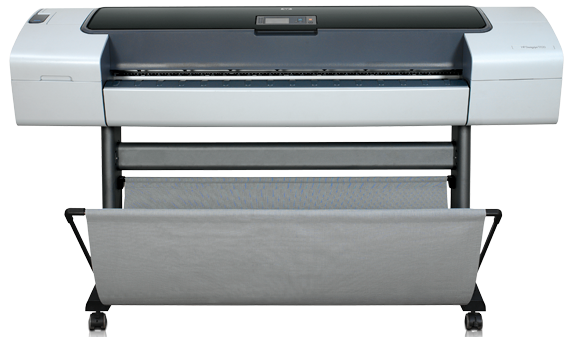
Codes erreur les plus fréquents - Traceur HP DESIGNJET T1100, T1100PS
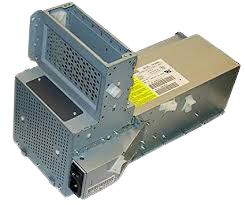
Code Erreur 03:10 


Code Erreur 08:11

Code Erreur 21:10 ou 21:13 ou 21.2:13 ou message Maintenance recommandée

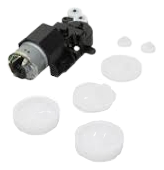
Code Erreur 47:01 ou 47:03
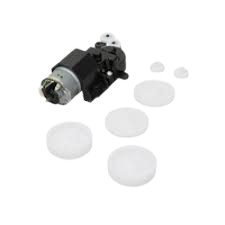
Code Erreur 79:04

Code Erreur 86:01 ou Vérifier chemin des têtes d'impression ou Vérifier chemin papier

Message Remplacement des têtes non terminé
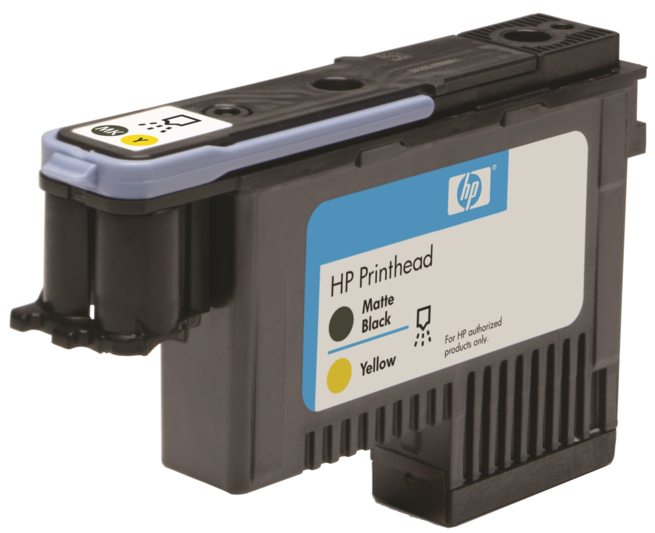
Tableau de tous les codes erreurs - Traceur HP DESIGNJET T1100, T1100PS
- code :
01.0:YZ
- description :
Main PCA/Electronics module HCI queue does not end after 2 seconds.
- remede :
• Switch the Power OFF from the back of the Printer and disconnect the Power cord. Reconnect the power cord and power On the Printer. • If the System Error continues, replace the Formatter. • If the System Error continues, replace the Main PCA.
- code :
01.1:YZ
- description :
Add-on Electronics module (printmech) NVM backup: not found, read, write or read back error.
- remede :
• Switch the Power OFF from the back of the Printer and disconnect the Power cord. Reconnect the power cord and power On the Printer. • If the System Error continues, replace the Main PCA. • If the System Error continues, replace the Formatter.
- code :
01.2:YZ
- description :
Print Mech PCA Print Mech PCA fault or NVM backup failure.
- remede :
• Switch the Power OFF from the back of the Printer and disconnect the Power cord. Reconnect the power cord and power On the Printer. • If the System Error continues, replace the PrintMech PCA.
- code :
02.1:YZ
- description :
Carriage PCA Encoder seems to be wrong.
- remede :
• Switch the Power OFF from the back of the Printer and disconnect the Power cord. Reconnect the power cord and power On the Printer. • Check that the Trailing Cable is not damaged. • Check that the Trailing Cable is correctly connected between the Main PCA and Carriage PCA. • If the System Error continues, replace the Trailing Cable.. • If the System Error continues, replace the Carriage PCA. • If the System Error continues, replace the Main PCA..
- code :
02.2:YZ
- description :
Carriage PCA Problem with the Carriage PCA.
- remede :
• Switch the Power OFF from the back of the Printer and disconnect the Power cord. Reconnect the power cord and power On the Printer. • Check that the Trailing Cable is not damaged. • Check that the Trailing Cable is correctly connected between the Main PCA and Carriage PCA. • If the System Error continues, replace the Trailing Cable• Page 8-88. • If the System Error continues, replace the Carriage PCA• • If the System Error continues, replace the Main PCA.. • If the System Error continues, r
- code :
03:YZ
- description :
Power supply Problem with Power Supply Unit.
- remede :
• Switch the Power OFF from the back of the Printer and disconnect the Power cord. Reconnect the power cord and power On the Printer. • Perform the Electronics Module Test Diagnostic to troubleshoot the problem further. • If the System Error continues, replace the Power Supply Unit (PSU).
- code :
05.1:YZ
- description :
Fan of the Formatter CPU Fan is stopped or burnt.
- remede :
• Switch the Power OFF from the back of the Printer and disconnect the Power cord. Reconnect the power cord and power On the Printer. • Replace the Power Supply Unit (PSU). • If the System Error continues, replace the Main PCA.
- code :
06:YZ
- description :
Formatter Main NVM failure - not detected, read/write failed or readback error.
- remede :
• Switch the Power OFF from the back of the Printer and disconnect the Power cord. Reconnect the power cord and power On the Printer. • If the System Error continues, replace the Formatter.
- code :
08:YZ
- description :
Front panel Problem with the Front Panel.
- remede :
• Switch the Power OFF from the back of the Printer and disconnect the Power cord. Reconnect the power cord and power On the Printer. • Check that the Front Panel interface cable is not damaged and is correctly connected between the Main PCA and the Front Panel. • Check that the memory module in the Formatter is installed correctly. • Check that the connections between the Formatter, the Formatter and the Formatter are not damaged and are correctly connected. • Check that the Printer has the
- code :
11:YZ
- description :
Trailing cable Trailing Cable does not seem to be detected.
- remede :
• Switch the Power OFF from the back of the Printer and disconnect the Power cord. Reconnect the power cord and power On the Printer. • Check that the Trailing Cable is not damaged. • Check that the Trailing Cable is correctly connected between the Main PCA and Carriage PCA. • If the System Error continues, replace the Formatter. • If the System Error continues, replace the Main PCA. • If the System Error continues, replace the Carriage PCA.
- code :
12.n:YZ
- description :
Carriage flex circuit n to pens Carriage & PCA Main doesn’t detect pens.
- remede :
• Switch the Power OFF from the back of the Printer and disconnect the Power cord. Reconnect the power cord and power On the Printer. • Check that the Trailing Cable is not damaged. • Check that the Trailing Cable is correctly connected between the Main PCA and Carriage PCA. • Check that the Printhead has not failed and is not erroneous. • Check that the Flex circuit contacts and Printhead contacts are clean. • If the System Error continues, replace the Carriage PCA. • If the System Error con
- code :
21:YZ
- description :
Service station Fail moving Service Station.
- remede :
• Switch the Power OFF from the back of the Printer and disconnect the Power cord. Check the Primer Tubes. Reconnect the power cord and power On the Printer. • Make sure that the Service Station path is clear. Remove any visible obstacles (e.g. screws, plastic parts, etc...) restricting the movement of the Service Station. • Perform the Service Station diagnostic test to troubleshoot the problem further. • If the System Error continues, replace the Service Station. • If the System Error conti
- code :
21.1:YZ
- description :
Service station Service Station servo shutdown.
- remede :
• Switch the Power OFF from the back of the Printer and disconnect the Power cord. Check the Primer Tubes. Reconnect the power cord and power On the Printer. • Perform the Service Station diagnostic test to troubleshoot the problem further. • If the System Error continues, replace the Service Station. • If the System Error continues, replace the PrintMech PCA.
- code :
22.0:YZ
- description :
Bongo error BPS0 (ISS Left) ISS Left BPS0 error.(Supplies 0, 1, 2).
- remede :
• Switch the Power OFF from the back of the Printer and disconnect the Power cord. Reconnect the power cord and power On the Printer. • Check that the cables between the Left Ink Supply Station and Main PCA the are not damaged and are correctly connected. • Perform the Ink Delivery System diagnostic test to troubleshoot the problem further. • If the System Error continues, replace the Left Ink Supply Station. • If the System Error continues, replace the Main PCA. • If the System Error continu
- code :
22.1:YZ
- description :
Bongo error BPS1 (ISSLeft) ISS Left BPS1 error.(Supplies 3, 4, 5).
- remede :
• Switch the Power OFF from the back of the Printer and disconnect the Power cord. Reconnect the power cord and power On the Printer. • Check that the cables between the Left Ink Supply Station and Main PCA the are not damaged and are correctly connected. • Perform the Ink Delivery System diagnostic test to troubleshoot the problem further. • If the System Error continues, replace the Left Ink Supply Station. • If the System Error continues, replace the Main PCA. • If the System Error continu
- code :
24:YZ
- description :
Tube assembly (IDS) Ink Setup failure( Ink Delivery System (IDS) Tubes purge failed).
- remede :
• Switch the Power OFF from the back of the Printer and disconnect the Power cord. Reconnect the power cord and power On the Printer. • Try purging the Ink Supply Tubes again once the Printer has been restarted. • Install new Cartridges in the printer and try purging the Ink Supply Tubes again.
- code :
26.n:YZ
- description :
Ink Cartridge (color = n) Order of Ink Supplies incorrect. (color = n)
- remede :
• Remove the Ink Supply Cartridges and check that they are the correct ones for this printer and are in the proper order. • Check that the Printer has the latest firmware. If not, update the firmware to the latest version.
- code :
27:YZ
- description :
Printhead error An error has occurred in Printhead detection.
- remede :
• Switch the Power OFF from the back of the Printer and disconnect the Power cord. Reconnect the power cord and power On the Printer. • Remove the Printheads from the Carriage Assembly and reinsert them. • Replace the Printheads. • Replace the Carriage Cover (Flex Circuit). • Replace the Carriage PCA. • Replace the Formatter.
- code :
29.n:YZ
- description :
An error has occurred in Printhead detection.
- remede :
• Switch the Power OFF from the back of the Printer and disconnect the Power cord. Reconnect the power cord and power On the Printer. • Remove the Printheads from the Carriage Assembly and reinsert them. • Replace the Printheads. • Replace the Carriage Cover (Flex Circuit). • Replace the Carriage PCA. • Replace the Formatter.
- code :
31:YZ
- description :
Cutter An error has been detected with the cutter.
- remede :
• Switch the Power OFF from the back of the Printer and disconnect the Power cord. Reconnect the power cord and power On the Printer. • Check the Cutter Assembly for blockage or any other obvious problems. • Replace the Cutter Assembly.
- code :
38:YZ
- description :
Output Tray An error has been detected with the Media Output Tray.
- remede :
• Switch the Power OFF from the back of the Printer and disconnect the Power cord. Reconnect the power cord and power On the Printer. • Check the Media Output Assembly for blockage or any other obvious problems. • Replace the Media Output Assembly.
- code :
41:YZ
- description :
Paper-axis motor Electrical fault or current limit in Media-Axis Motor.
- remede :
• Switch the Power OFF from the back of the Printer and disconnect the Power cord. Reconnect the power cord and power On the Printer. • Open the Window and check for any visible obstacles restricting the movement of the Media Advance Roller. If there is a wrinkled mass of media inside the paper path, lift the Pinch wheels (using Media Lever) and clear the obstruction. • Perform the Paper Drive diagnostic test to troubleshoot the problem further. • If the printer has a 44 inch scan axis (and a
- code :
41.1:YZ
- description :
Paper-axis motor Electrical fault or current limit in Media-Axis Motor
- remede :
• Switch the Power OFF from the back of the Printer and disconnect the Power cord. Reconnect the power cord and power On the Printer. • Open the Window and check for any visible obstacles restricting the movement of the Media Advance Roller. If there is a wrinkled mass of media inside the paper path, lift the Pinch wheels (using Media Lever) and clear the obstruction. • Perform the Paper Drive diagnostic test to troubleshoot the problem further. • If the printer has a 44 inch scan axis (and a
- code :
42:YZ
- description :
Scan-axis motor Electrical fault or current limit in Scan-Axis Motor.
- remede :
• Switch the Power OFF from the back of the Printer and disconnect the Power cord. Reconnect the power cord and power On the Printer. • Open the Window and check for any visible obstacles restricting the movement of the Media Advance Roller. If there is a wrinkled mass of media inside the paper path, lift the Pinch wheels (using Media Lever) and clear the obstruction. • Perform the Scan Axis diagnostic test to troubleshoot the problem further. • Check that the Scan-Axis Motor cable is not dam
- code :
44:YZ
- description :
Aerosol fan Fan Electrical fault, or not connected
- remede :
• Switch the Power OFF from the back of the Printer and disconnect the Power cord. Reconnect the power cord and power On the Printer. • Check that the Aerosol Fan cable is not damaged and is correctly connected to the PrintMech PCA • Replace the Aerosol Fan Assembly. • If the System Error continues, replace the PrintMech PCA.
- code :
45:YZ
- description :
Rewinder An error with the Rewinder System has been detected
- remede :
• Switch the Power OFF from the back of the Printer and disconnect the Power cord. Reconnect the power cord and power On the Printer. • Check that the Rewinder cable is not damaged and is correctly connected to the PrintMech PCA. • Check that the Right Spindle Holder (rewinder included) is correctly attached to and aligned with the Right Cover. • Perform the Rewinder diagnostic test to troubleshoot the problem further. • Replace the Right Spindle Holder (rewinder included). • If the System Er
- code :
47:YZ
- description :
Star wheel motor Star wheels motor error
- remede :
• Switch the Power OFF from the back of the Printer and disconnect the Power cord. Reconnect the power cord and power On the Printer. • Check that the Starwheel Assembly cable is not damaged and is correctly connected to Main PCA. • Open the Window and check for any visible obstacles restricting the movement of the Starwheel Assembly, then clear the obstruction. • Perform the Scan Axis Starwheel diagnostic test to troubleshoot the problem further. • Replace the Starwheel Motor. • If the Syste
- code :
48:YZ
- description :
PPS mechanism PPS system failure
- remede :
• Switch the Power OFF from the back of the Printer and disconnect the Power cord. Reconnect the power cord and power On the Printer. • Check that the Pen to Paper Space (PPS) Solenoid cable is not damaged and is correctly connected to the PrintMech PCA. • Perform the Scan Axis PSS diagnostic test to troubleshoot the problem further. • Replace the Pen to Paper Space (PPS) Solenoid. • If the System Error continues, replace the PrintMech PCA.
- code :
51:YZ
- description :
Window Sensor Window Sensor failure
- remede :
• Check that the Window Position Sensor cable is not damaged and is correctly connected to the PrintMech PCA. • Perform the Sensors Test to troubleshoot the problem further . Page 4- 31. • Replace the Window Position Sensor.
- code :
52:YZ
- description :
Drop detector The printer has detected a problem with the Drop Detector
- remede :
• Switch the Power OFF from the back of the Printer and disconnect the Power cord. Reconnect the power cord and power On the Printer. • Check that the Drop Detector cable is not damaged and is correctly connected to the PrintMech PCA. • Check that the Service Station cable is not damaged and is correctly connected to the PrintMech PCA. • Replace the Drop Detector. • Reset the Calibration Flag of the Drop Detector. • If the System Error continues, replace the PrintMech PCA. • If the System Err
- code :
55:YZ
- description :
Line sensor Problem with the Line Sensor. The printer has detected a failure to access Line Sensor EEPROM).
- remede :
• Switch the Power OFF from the back of the Printer and disconnect the Power cord. Reconnect the power cord and power On the Printer. • Perform the Carriage Test to troubleshoot the problem further . Page 4- 26 • Check the Line Sensor connections to the Carriage PCA. • Replace the Line Sensor. • If the System Error continues, replace the Carriage PCA.
- code :
56:YZ
- description :
Drive roller analog encoder sensor Drive roller analog encoder sensor fail or calibration failed.
- remede :
• Switch the Power OFF from the back of the Printer and disconnect the Power cord. Reconnect the power cord and power On the Printer. • Perform the Media Path Test to troubleshoot the problem further. • Replace the Encoder Disk and Encoder Sensor. • If the System Error continues, replace the Main PCA.
- code :
58:YZ
- description :
The Line Sensor of the printer is not functioning correctly. Either the Line Sensor shutter has failed to open, there is a failure to communicate with the Line Sensor, the Line Sensor is not calibrated correctly, or the firmware is not compatible with the Line Sensor
- remede :
• Switch the Power OFF from the back of the Printer and disconnect the power cord. Reconnect the power cord and power On the Printer. • Perform the Line Sensor calibration. • Check that the Printer has the latest Firmware version. If not, update the Firmware to the latest version. • Perform the Carriage Test to troubleshoot the problem further . Page 4- 26. • If the System Error continues, replace the Line Sensor.
- code :
61:YZ
- description :
Error job The file format is incorrect and the Printer cannot process the job.
- remede :
• Switch the Power OFF from the back of the Printer and disconnect the Power cord. Reconnect the power cord and power On the Printer. • Check the graphic language setting of the Printer (Refer to the User's Guide). • Resend the file to the printer. • Check that the Printer has the latest Firmware version. If not, update the Firmware to the latest version. • The PostScript™ fonts are missing. Upgrading the Firmware will re-install the fonts. • The file cannot be printed because it is password
- code :
62:YZ
- description :
PC Interface PC Interface
- remede :
• Switch the Power OFF from the back of the Printer and disconnect the Power cord. Reconnect the power cord and power On the Printer. • Get the latest version of the firmware.
- code :
63:YZ
- description :
Input/output through LAN card Input/Output problem through the Network Card.
- remede :
• Switch the Power OFF from the back of the Printer and disconnect the Power cord. Reconnect the power cord and power On the Printer. • Check that the Network cable is correctly connected to the Formatter. • Check that the Printer has the latest Firmware version. If not, update the Firmware to the latest version. • If the System Error continues, replace the Formatter. • If the System Error continues, replace the Main PCA.
- code :
64:YZ
- description :
Input/output through USB port Input/Output problem through the USB Port.
- remede :
• Switch the Power OFF from the back of the Printer and disconnect the Power cord. Reconnect the power cord and power On the Printer. • Check that the USB cable is correctly connected to the Printer. • Check that the Printer has the latest Firmware version. If not, update the Firmware to the latest version. • If the System Error continues, replace the Formatter. • If the System Error continues, replace the Main PCA.
- code :
65:YZ
- description :
Input/output (not known what port) Memory Driver Internal I/O error, I/O Socket Manager Internal I/O error.
- remede :
• Switch the Power OFF from the back of the Printer and disconnect the Power cord. Reconnect the power cord and power On the Printer. • Check that the unknown port cable is correctly connected to the Printer. • Check that the Printer has the latest Firmware version. If not, update the Firmware to the latest version. • If the System Error continues, replace the Formatter. • If the System Error continues, replace the Main PCA.
- code :
66:YZ
- description :
Input/output (not known what port) Cannot print file on current paper type. The paper type has changed since the file was sent, so the file cannot be printed on the paper type currently loaded.
- remede :
• Resend the file to be printed on the current paper type. • Change the paper type to the type that was loaded when the file was originally sent.
- code :
67:YZ
- description :
Input/output through FireWire port Input/Output problem through a Firewire Port.
- remede :
• Check that the firewire cable is correctly connected to the Printer. • Check that the Printer has the latest Firmware version. If not, update the Firmware to the latest version. • If the System Error continues, replace the Main PCA.
- code :
68:YZ
- description :
Loss of engine counters tracking Loss of engine counters tracking.
- remede :
• Reboot the printer. The printer will continue to function correctly, but the life counters will not continue counting until you restart the printer.
- code :
71:19
- description :
PrintMech PCA/Formatter Default Serial Number found in the main and backup NVM. It seems that both the Print Mech PCA and Hard Disk Drive have been replaced together.
- remede :
• Perform the “Error 71:19 Recovery” Service Utility. You MUST NEVER replace both the Formatter and the PrintMech PCA at the same time. If both parts need to be replaced, you MUST first replace one part and then power ON the Printer until it completely initializes. Then you can power OFF the Printer and replace the other part.
- code :
71:YZ
- description :
Memory management Out of memory failure.
- remede :
• It is recommended that you remove any unnecessary files from the Hard Disk Drive of the Formatter using the Web Server.
- code :
72:YZ
- description :
Firmware error Generic Firmware error.
- remede :
• Switch the Power OFF from the back of the Printer and disconnect the Power cord. Reconnect the power cord and power On the Printer. • Check that the Printer has the latest Firmware version. If not, update the Firmware to the latest version.
- code :
73:YZ
- description :
Servo Servo Error.
- remede :
• Switch the Power OFF from the back of the Printer and disconnect the Power cord. Reconnect the power cord and power On the Printer. • Check that the Printer has the latest Firmware version. If not, update the Firmware to the latest version. • Perform the Scan Axis Test to troubleshoot the problem further . Page 4- 6. • If the System Error continues, perform the Media Drive diagnostic test to troubleshoot the problem further.
- code :
74:YZ
- description :
Firmware upgrade Error uploading firmware update file.
- remede :
• Switch the Power OFF from the back of the Printer and disconnect the Power cord. Reconnect the power cord and power On the Printer. • Make sure the connection between the computer and the printer is functioning properly. • Try to update the Firmware again.
- code :
74.1:YZ
- description :
Media Profile Update Error uploading media profile update file.
- remede :
• Switch the Power OFF from the back of the Printer and disconnect the Power cord. Reconnect the power cord and power On the Printer. • Make sure the connection between the computer and the printer is functioning properly. • Try to upload the media profile update file again.
- code :
75.1:YZ
- description :
Preventive Maintenance kit #1 Preventive Maintenance Kit #1 counter active (Scan Axis Components ,Ink Supply Tubes, Trailing Cable, Carriage).
- remede :
• Switch the Power OFF from the back of the Printer and disconnect the Power cord. • Change the Belt Assembly, the Scan-Axis Motor, the Ink Supply Tubes, Carriage Assembly (this does not include the Carriage PCA but it does include the Trailing Cable). You should change Preventive Maintenance Kit #1. • Once the parts have been changed, use the Service Menu to reset the counters that affect PMKit #1. • Change the Trailing Cable with Preventive Maintenance Kit # 4. Once the parts have been chan
- code :
75.2:YZ
- description :
Preventive Maintenance kit #2 Preventive Maintenance Kit #2 counter active.
- remede :
• Switch the Power OFF from the back of the Printer and disconnect the Power cord. • Change the Service Station You should change Preventive Maintenance Kit #2. • Once the parts have been changed, use the Service Menu to reset the counters that affect PMKit #2. See 4. Reset Life Counters, Page 4-63.
- code :
75.3:YZ
- description :
Preventive Maintenance kit #3 Preventive Maintenance Kit #3 counter active (Cutter Assembly).
- remede :
• Switch the Power OFF from the back of the Printer and disconnect the Power cord. • Change the Cutter Assembly using Preventive Maintenance Kit #3. Note that the PMkit is the same as the Cutter Assembly. • Once the parts have been changed, use the Service Menu to reset the counters that affect PMKit #3.
- code :
75.4:YZ
- description :
Preventive Maintenance kit #4 Preventive Maintenance Kit #4 counter active.
- remede :
• Switch the Power OFF from the back of the Printer and disconnect the Power cord. • Change the Trailing Cable using Preventive Maintenance Kit #4. Note that the PMkit is the same as the Trailing Cable. • Once the parts have been changed, use the Service Menu to reset the counters that affect PMKit #4.
- code :
76:YZ
- description :
Disk Full Hard disk drive is full.
- remede :
• Remove any unnecessary files from the hard disk using the web server.
- code :
77:YZ
- description :
Web access application Web access application. The web server is not functioning correctly.
- remede :
• Switch the Power OFF from the back of the Printer and disconnect the Power cord. Reconnect the power cord and power On the Printer. • Check that the Printer has the latest Firmware version. If not, update the Firmware to the latest version.
- code :
78:YZ
- description :
Borderless Borderless printing not possible. Setting ignored.
- remede :
• Switch the Power OFF from the back of the Printer and disconnect the Power cord. Reconnect the power cord and power On the Printer. • Send the plot again.
- code :
78.1:YZ
- description :
Media Settings Media settings area missing in media settings file.
- remede :
• Switch the Power OFF from the back of the Printer and disconnect the Power cord. Reconnect the power cord and power On the Printer. • Check that the Printer has the latest Firmware version. If not, update the Firmware to the latest version. • Update the OMES.
- code :
79:YZ
- description :
Assertion (uncontrolled FW error) Generic Firmware error.
- remede :
• Switch the Power OFF from the back of the Printer and disconnect the Power cord. Reconnect the power cord and power On the Printer. • Check that the Printer has the latest Firmware version. If not, update the Firmware to the latest version.
- code :
79.1:YZ
- description :
Recoverable Firmware Error Recoverable firmware error that does not stop the printing process.
- remede :
• Switch the Power OFF from the back of the Printer and disconnect the Power cord. Reconnect the power cord and power On the Printer. • Check that the Printer has the latest Firmware version. If not, update the Firmware to the latest version.
- code :
81:YZ
- description :
Media advance Problem with paper advance.
- remede :
• Open the Window and check for any visible obstacles restricting the movement of the Drive Roller. If there is a wrinkled mass of media inside the paper path, lift the Pinchwheels (using the Media Lever) and clear the obstruction. • Perform the Media Drive diagnostic test to troubleshoot the problem further. • If the printer has a 44 inch scan axis (and a Rewinder), perform the Rewinder diagnostic test to troubleshoot the problem further . Page 4- 34. • Check the connections on the Main PCA;
- code :
81.1:YZ
- description :
Media advance Problem finding the Drive Roller zero.
- remede :
• Open the Window and check for any visible obstacles restricting the movement of the Drive Roller. If there is a wrinkled mass of media inside the paper path, lift the Pinchwheels (using the Media Lever) and clear the obstruction. • Perform the Media Drive diagnostic test to troubleshoot the problem further. • If the printer has a 44 inch scan axis (and a Rewinder), perform the Rewinder diagnostic test to troubleshoot the problem further . Page 4- 34. • Check the connections on the Main PCA;
- code :
84:YZ
- description :
Roll Feed Back tension servo shutdown (roll feeding).
- remede :
• Switch the Power OFF from the back of the Printer and disconnect the Power cord. Reconnect the power cord and power On the Printer. • If the problem persists, contact HP support.
- code :
85:YZ
- description :
Media-axis encoder reading Problem finding the Drive Roller zero.
- remede :
• Perform the Media Drive diagnostic test to troubleshoot the problem further. • If the System Error continues, replace the Encoder Disk and Encoder Sensor.
- code :
86:YZ
- description :
Carriage Movement Possible Paper Jam.
- remede :
• Switch the Power OFF from the back of the Printer and disconnect the Power cord. Reconnect the power cord and power On the Printer. • Open the Window and check for any visible obstacles restricting the movement of the Drive Roller. If there is a wrinkled mass of media inside the paper path, lift the Pinch wheels (using the Media Lever) and clear the obstruction.
- code :
87:YZ
- description :
Scan-axis encoder reading Problem finding the Scan-axis encoder reading.
- remede :
• Switch the Power OFF from the back of the Printer and disconnect the Power cord. Reconnect the power cord and power On the Printer. • Movement jam. • Possible paper jam. • Mechanical Initiator scan axis measure error. • Check that the Scan-Axis Motor is correctly connected. • Check that the Encoder Sensor is correctly connected. • Remove the Encoder Strip and clean it. • Perform the Scan Axis diagnostic test to troubleshoot the problem further
- code :
93:YZ
- description :
Ink Pumping Unable to pressurize the Ink Delivery System.
- remede :
• Switch the Power OFF from the back of the Printer and disconnect the Power cord. Reconnect the power cord and power On the Printer. • Perform the Ink Delivery System diagnostic test to further troubleshoot the problem. • If the problem persists, contact HP support.
- code :
94:YZ
- description :
Color calibration Color calibration Error.
- remede :
• Profiling failed due to a different error (not algorithm / data processing). • Perform the Line Sensor calibration. See Troubleshooting, Line Sensor • If the System Error continues, replace the Line Sensor • If the System Error continues, replace the Carriage PCA. • If the System Error continues, replace the Formatter.
- code :
94.1:YZ
- description :
Profiler Profiling algorithm failed.
- remede :
• Profiling failed due to a different error (not algorithm / data processing). • Perform the Line Sensor calibration. • See Troubleshooting, Line Sensor • If the System Error continues, replace the Line Sensor • If the System Error continues, replace the Carriage PCA. • If the System Error continues, replace the Formatter.
- code :
98:YZ
- description :
Automatic backup print mode enabled.
- remede :
• Switch the Power OFF from the back of the Printer and disconnect the Power cord. Reconnect the power cord and power On the Printer. • Recover the printheads.
- code :
XX.n:00
- description :
YZ part of the System Error Code or Warning Possible for customer to perform action Replace
- remede :
Replace
- code :
XX.n:01
- description :
YZ part of the System Error Code or Warning Possible for customer to perform action Reseat/Reconnect/Clean/Adjust (manually)
- remede :
Reseat/Reconnect/Clean/Adjust (manually)
- code :
XX.n:02
- description :
YZ part of the System Error Code or Warning Possible for customer to perform action Calibrate/Adjust (using automatic process)
- remede :
Calibrate/Adjust (using automatic process)
- code :
XX.n:03
- description :
YZ part of the System Error Code or Warning Possible for customer to perform action Power off and restart the printer
- remede :
Power off and restart the printer
- code :
XX.n:04
- description :
YZ part of the System Error Code or Warning Possible for customer to perform action Upgrade system firmware
- remede :
Upgrade system firmware
- code :
XX.n:05
- description :
YZ part of the System Error Code or Warning Possible for customer to perform action Upgrade driver or computer software
- remede :
Upgrade driver or computer software
- code :
XX.n:06
- description :
YZ part of the System Error Code or Warning Possible for customer to perform action Add accessory
- remede :
Add accessory
- code :
XX.n:07
- description :
YZ part of the System Error Code or Warning Possible for customer to perform action Escalate
- remede :
Escalate
- code :
XX.n:08
- description :
YZ part of the System Error Code or Warning Possible for customer to perform action Send plot again
- remede :
Send plot again
- code :
XX.n:09
- description :
YZ part of the System Error Code or Warning Possible for customer to perform action Wrong part installed
- remede :
Wrong part installed
- code :
XX.n:10
- description :
YZ part of the System Error Code or Warning Qualified personnel assistance required Replace
- remede :
Replace
- code :
XX.n:11
- description :
YZ part of the System Error Code or Warning Qualified personnel assistance required Reseat/Reconnect/Clean/Adjust (manually)
- remede :
Reseat/Reconnect/Clean/Adjust (manually)
- code :
XX.n:12
- description :
YZ part of the System Error Code or Warning Qualified personnel assistance required Calibrate/Adjust (using automatic process)
- remede :
Calibrate/Adjust (using automatic process)
- code :
XX.n:13
- description :
YZ part of the System Error Code or Warning Qualified personnel assistance required Power off
- remede :
Power off
- code :
XX.n:14
- description :
YZ part of the System Error Code or Warning Qualified personnel assistance required Upgrade system firmware
- remede :
Upgrade system firmware
- code :
XX.n:15
- description :
YZ part of the System Error Code or Warning Qualified personnel assistance required Upgrade driver or computer software
- remede :
Upgrade driver or computer software
- code :
XX.n:16
- description :
YZ part of the System Error Code or Warning Qualified personnel assistance required Add accessory
- remede :
Add accessory
- code :
XX.n:17
- description :
YZ part of the System Error Code or Warning Qualified personnel assistance required Escalate
- remede :
Escalate
- code :
XX.n:18
- description :
YZ part of the System Error Code or Warning Qualified personnel assistance required Send plot again
- remede :
Send plot again
- code :
XX.n:19
- description :
YZ part of the System Error Code or Warning Qualified personnel assistance required Wrong part installed
- remede :
Wrong part installed
- code :
XX.n:YZ.m
- description :
Error Codes Format • XX: Subsystem or process (2 digits). • n: Subsystem or process index (if more than one used in the product) – optional. e.g. Identify the Ink Supply (color and number). • Y: Who should perform the action (1 digit) – (0 for User or 1 for Service Engineer). • Z: Action to perform (1 digit). • m: additional actions/information to consider (1 digit) – Optional.
- remede :
Error Codes Format